Start using BoldCreate
1. Create and Access Your Account
To start using BoldCreate, visit: BoldCreate
Sign-In Options
You can sign in using one of the following methods:
- Microsoft Account: Use your personal, work, or school Microsoft credentials.
- GitHub Account: Sign in with your GitHub credentials.
- Syncfusion Account: Use your existing Syncfusion login.
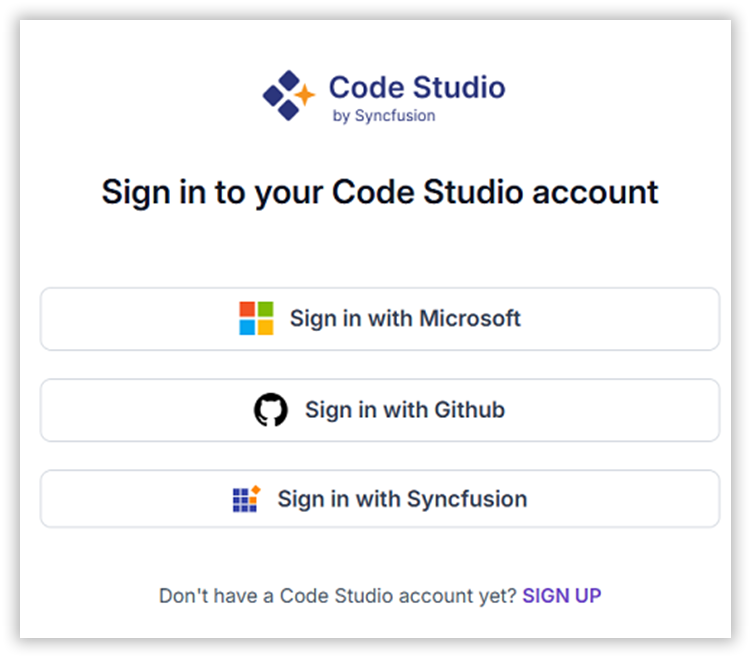
Note: If you don’t have an account, click “SIGN UP” to create one.
2. Accessing the Dashboard
Once signed in:
- You’ll be directed to the Dashboard.
- Click on your Profile Icon to access Settings
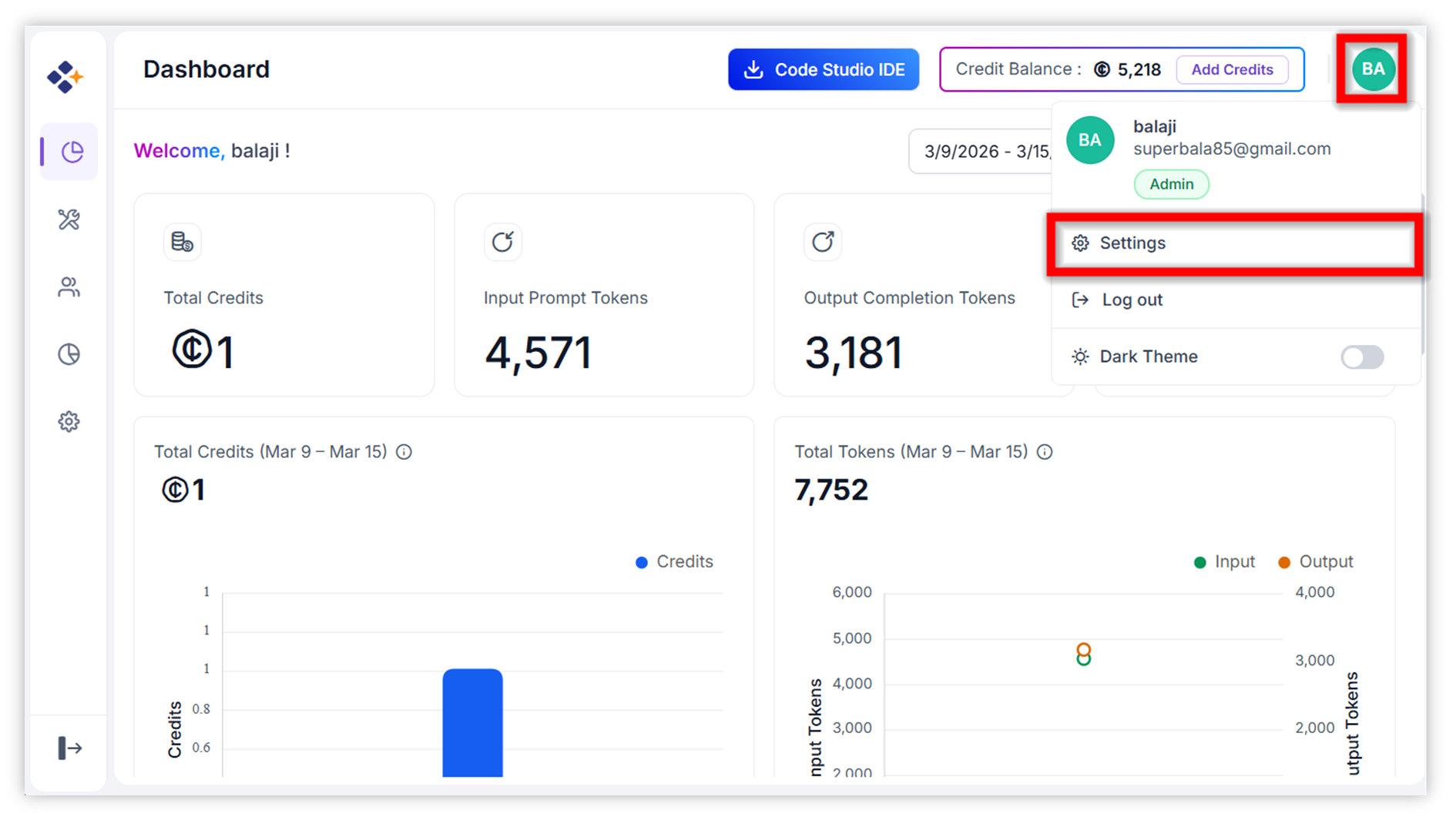
3. Managing Settings
Click on Settings to:
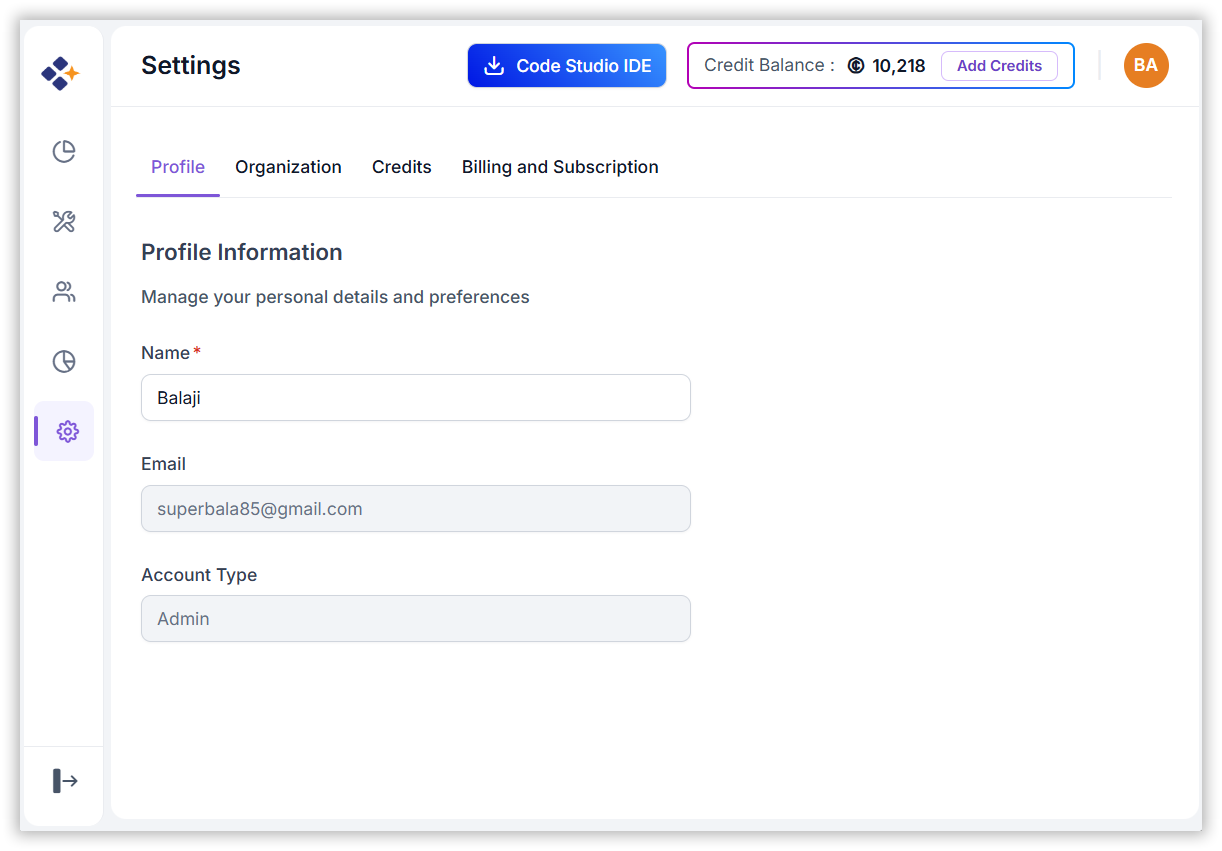
- Update your Profile Information
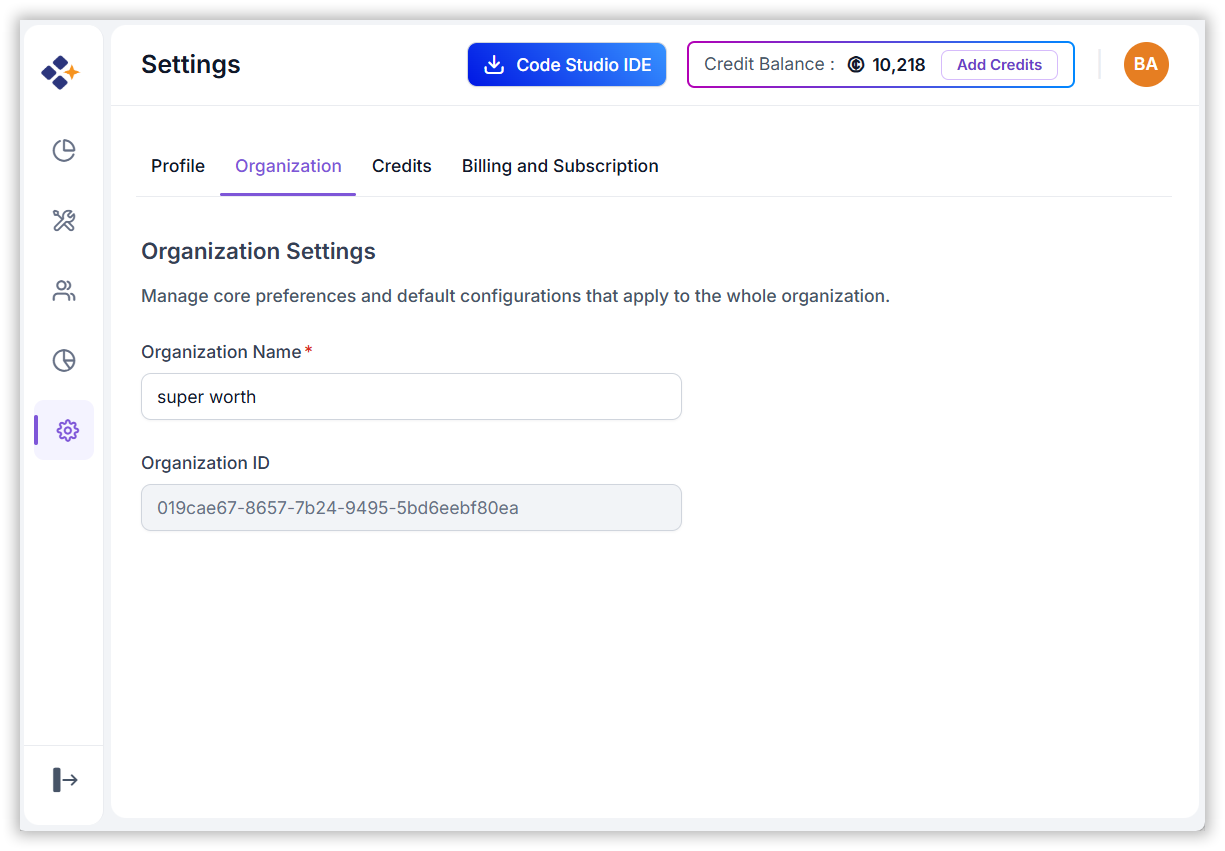
- Configure your Organization Settings