Problem Summary
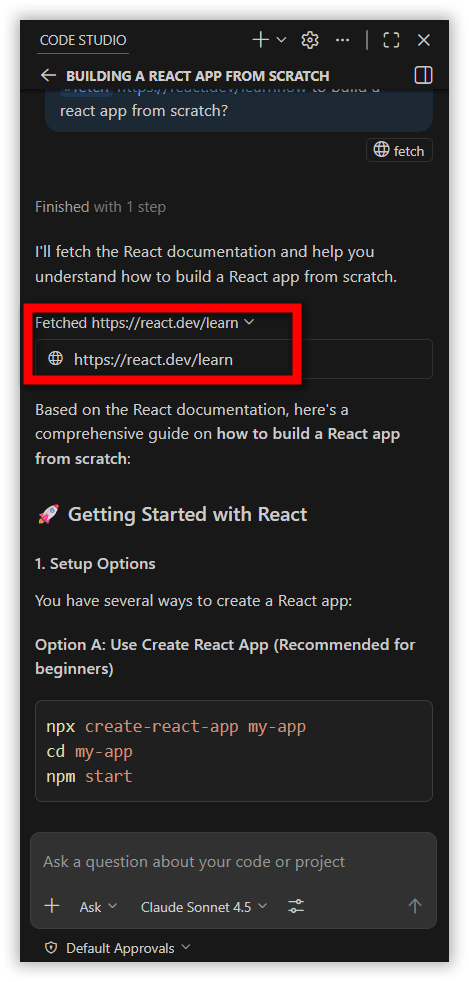
Starting with version 2.0.0, BoldCreate no longer uses the legacy Docs Context Provider. In earlier versions prior to 2.0.0, users could add documentation URLs through the @ menu, which generated local embeddings for contextual responses. The latest release replaces this with the Realtime Fetch Tool, introducing a new approach to documentation indexing.
Possible Causes
1. Deprecated Legacy Behavior
- The previous system relied on locally stored embeddings created from documentation URLs. This functionality and the ability to index documentation has been removed.
2. New System Depends on Real-Time Fetching
- The updated Fetch Tool retrieves webpage content live instead of indexing and storing it locally.
3. Previously Indexed Docs Can’t Be Accessed
- Since local embedding and legacy indexing have been removed, any documentation indexed before version 2.0.0 is no longer accessible.
Resolution Steps
Step 1 : Open the BoldCreate Chat Interface
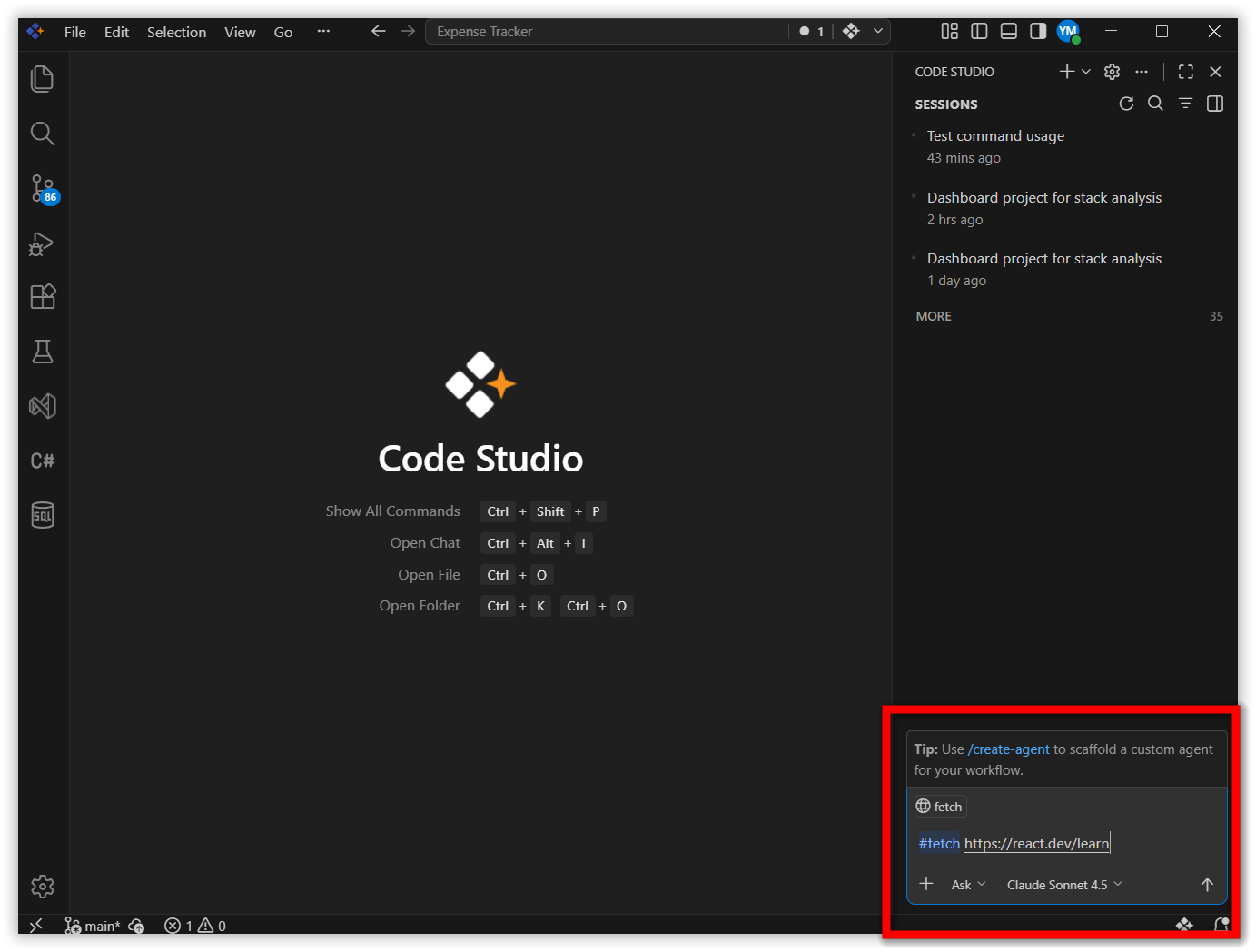
Step 2 : Type #fetch Followed by a Valid URL
This triggers the Fetch Tool to pull content from the specified page.
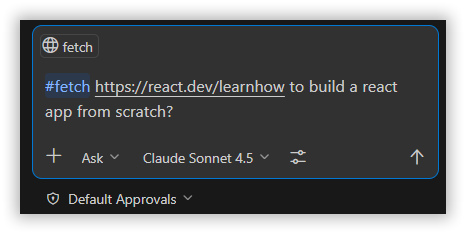
Step 3 : Enter Your Query
After adding the URL, type your actual query referencing the fetched documentation.
Step 4 : Let the Tool Retrieve Content
The Fetch Tool retrieves webpage content instantly and uses it as reference material for your query.