

This guide explains how to migrate Agent files from BoldCreate v1.x.x to v2.0.0 and later versions so they remain compatible with the updated settings.
Problem Summary
After upgrading to BoldCreate v2.0.0 and later versions, Agent rules may stop working unless you rename your Agent files and update the Agents settings.
Note: Agent files from v1.x.x aren’t migrated automatically in v2.0.0+. To restore Agent rules, follow the resolution steps below. Refer to the v2.0.0 release notes for migration details.
Resolution Steps
Step 1: Rename Your Agent File
Rename your file from agent.md to agents.md (plural) in your project root directory.
Step 2: Update Settings Configuration
Settings in v2.0.0 and later versions:
-
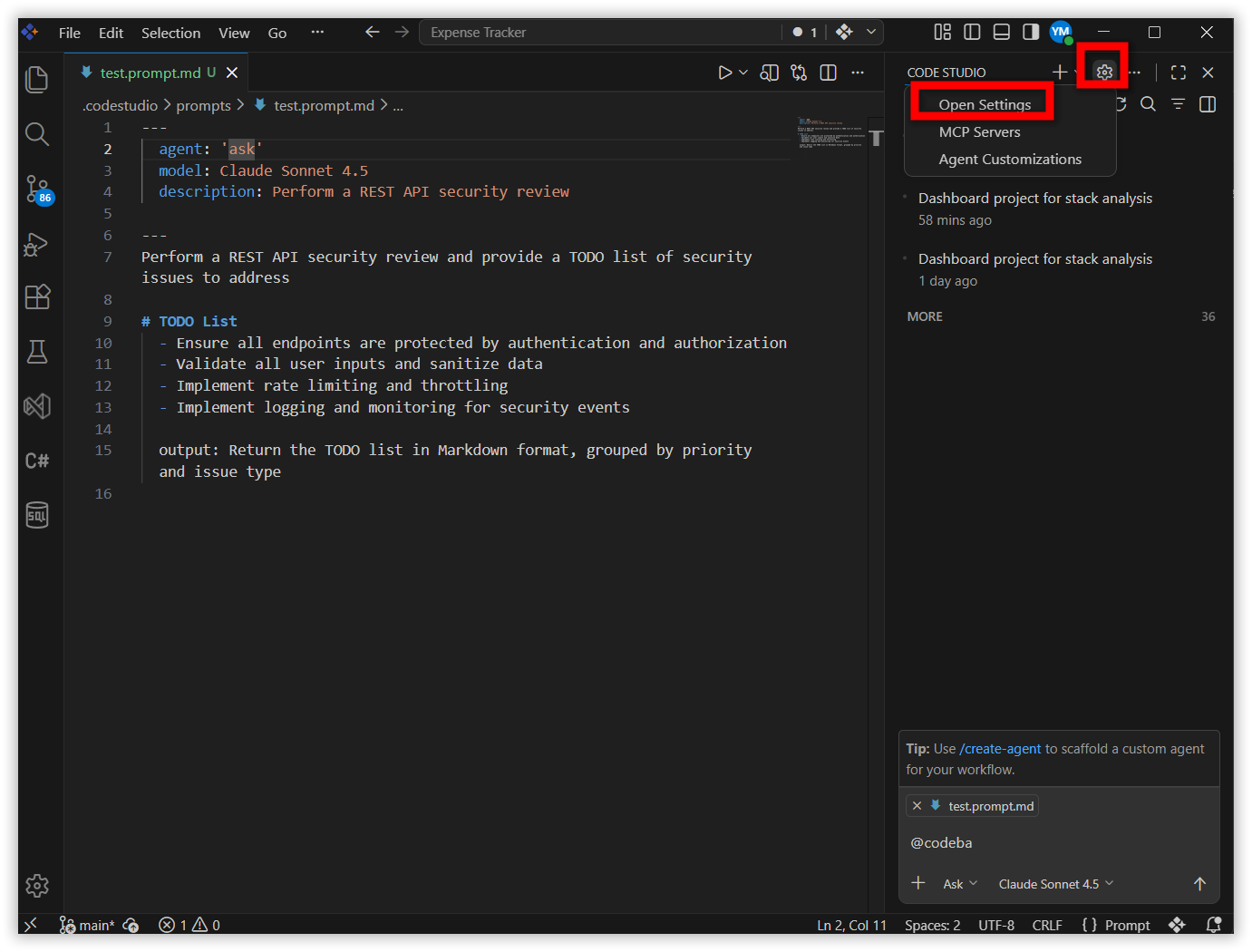
Click the Settings icon.
-
Open Settings
-
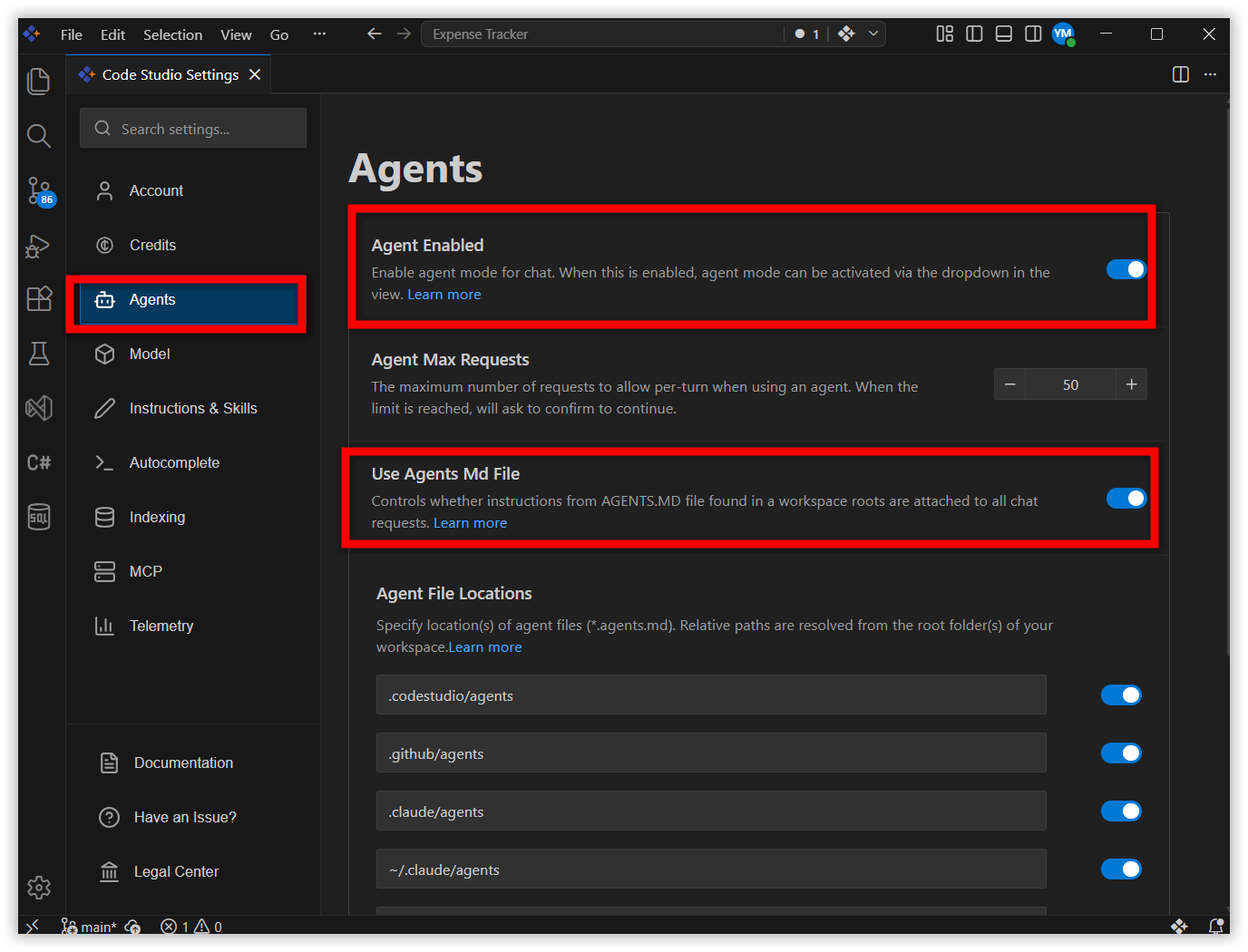
In the settings window, select Agents in the sidebar.
-
Ensure Agent Enabled and Use Agents Md file are enabled.
Note: Keep your agent instructions under 500 lines to avoid context length issues.