

Problem Summary
When using the OpenAI O3 model through OpenRouter, requests can fail with HTTP 403 (Forbidden). This typically occurs because O3 requires a valid Tier 3 (or higher) OpenAI API key configured under a Bring Your Own Key (BYOK) setup in OpenRouter. If the key is missing, insufficient-tier, or misconfigured, OpenRouter denies the request.
Note: “Tier 3” refers to OpenAI’s usage tiers that control rate and spend limits. As of OpenAI’s documentation, Tier 3 generally requires $100+ paid and 7+ days since the first successful payment. See OpenAI Rate limits for more details.
Possible Causes
- Insufficient API Key Tier: The OpenAI key used is not Tier 3 or above, which is required for the O3 model.
- Incorrect Configuration: The key was either added incorrectly or not properly linked to the OpenRouter Integrations page.
- Usage Limits Reached: Daily request limits (50 free / 1,000 with credits) may have been exceeded.
Prerequisites
- An active OpenAI account with a valid API key (Tier 3 or higher is required for the O3 model).
- An OpenRouter account to connect and manage your API key.
Resolution Steps
Step 1: Obtain an OpenAI API Key
Log in to OpenAI
Visit OpenAI Platform and sign into your account.
Generate an API Key
- Navigate to the API keys section in the OpenAI dashboard.
- Click Create API Key and provide a descriptive name (e.g., “OpenRouter O3 Key”).
- Copy the generated key and store it securely.
Step 2: Configure OpenRouter with Your OpenAI API Key
Sign Up for OpenRouter
- Go to OpenRouter and create an account if you don’t already have one.
- Log in to your OpenRouter dashboard.
Access OpenRouter Integrations
-
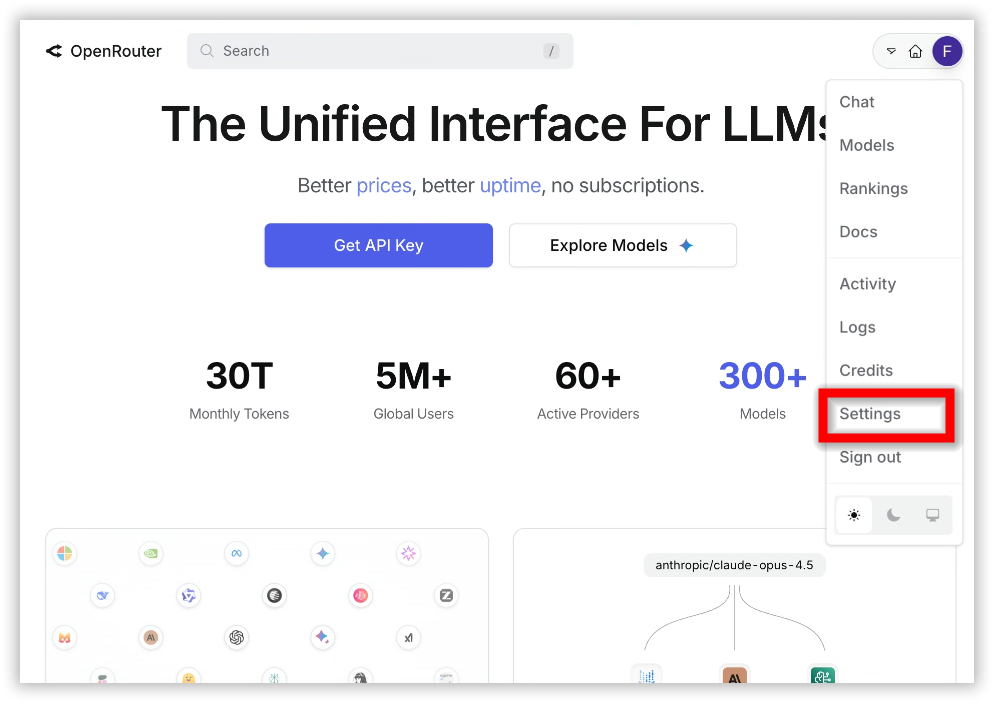
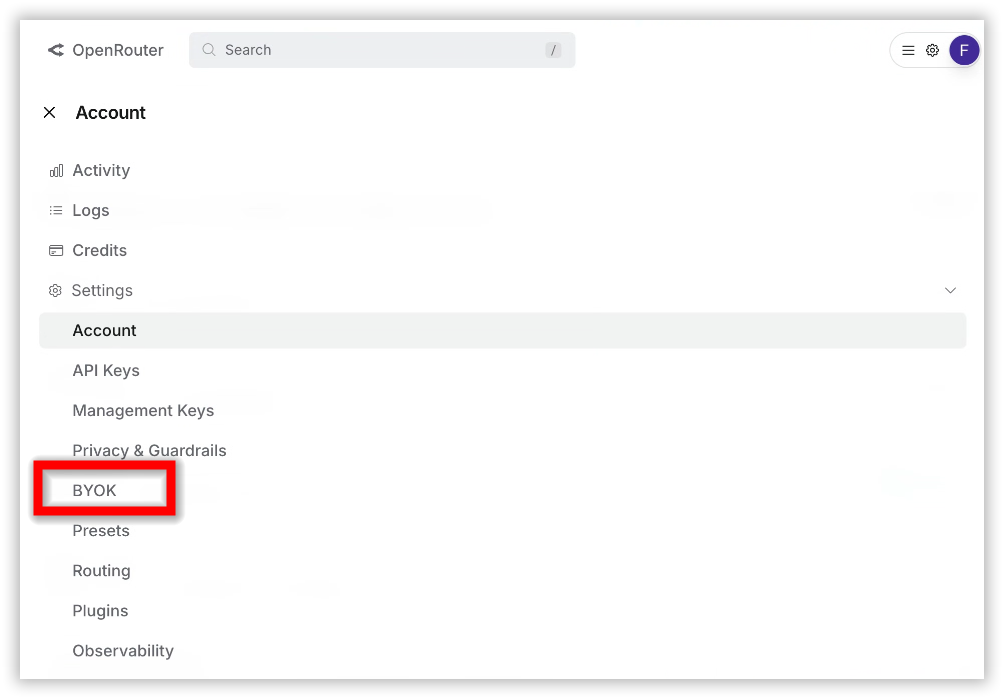
Navigate to Settings > Integrations (BYOk).
-
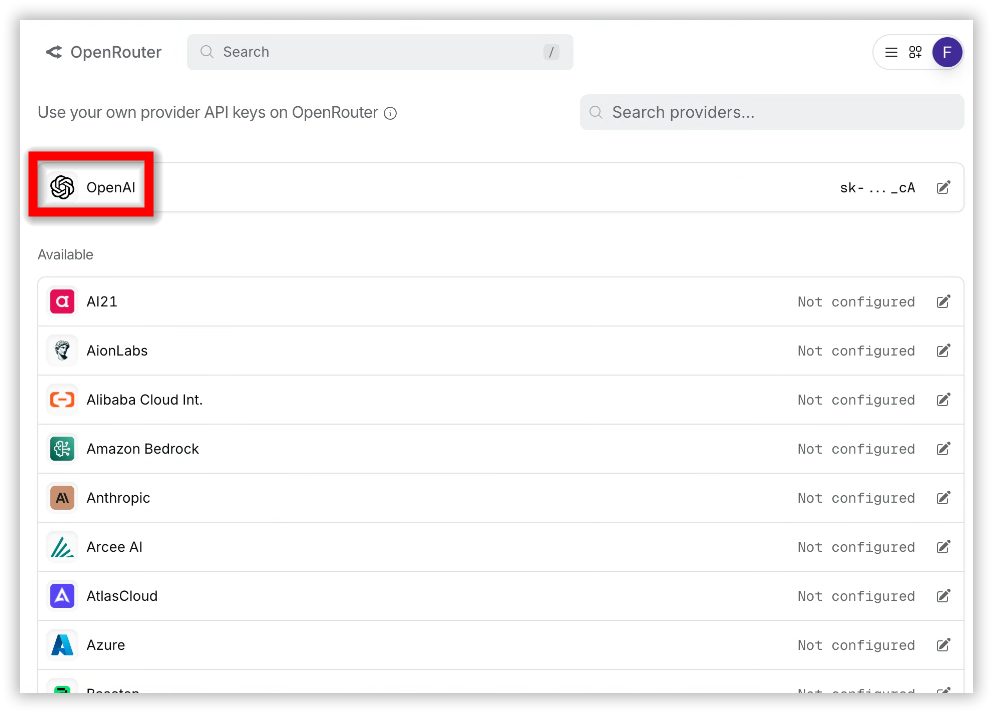
Select OpenAI as the provider for the O3 model.
-
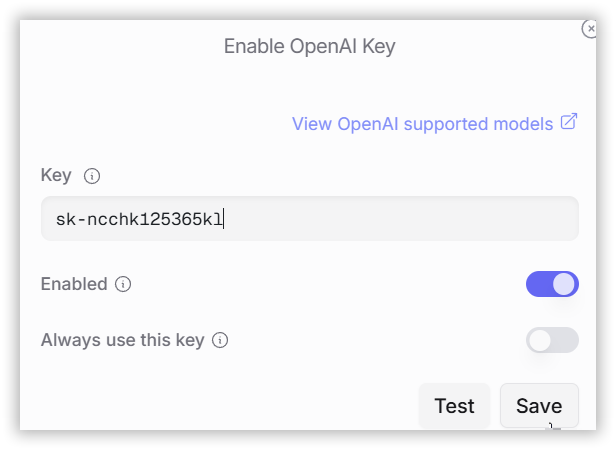
Paste your OpenAI API key into the provided field.
-
Ensure the key is Tier 3 or higher.
-
Click Save to link your key to OpenRouter. The platform will verify your key and configure it for O3 model requests.
Step 3: Monitor Your Usage
- Check Usage Limits: Free accounts on OpenRouter have a limit of 50 requests per day. Purchasing 10+ credits increases this limit to 1,000 requests per day.
- Track Costs: The OpenRouter dashboard displays your token usage and costs based on your OpenAI API key activity.
Additional Resources
- OpenRouter Documentation – Detailed API specifications
- OpenRouter Integrations – Manage API keys
- OpenAI Platform – API key management and tier status