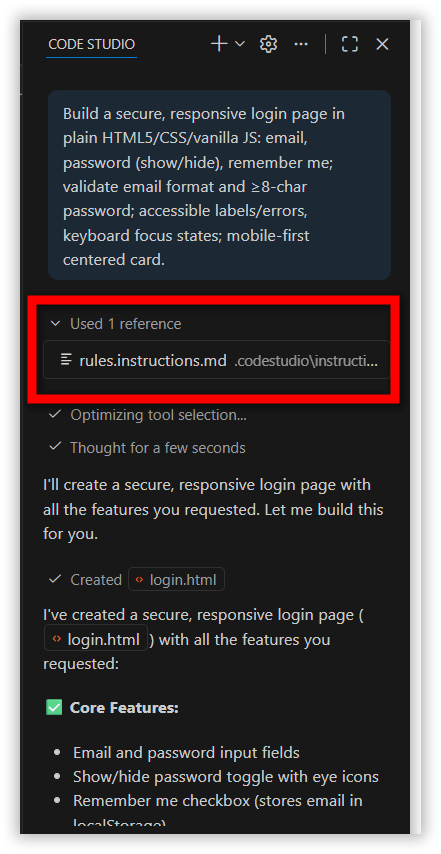
Problem Summary
In versions prior to 2.0.0, BoldCreate stored rule configurations in two legacy formats: config.yaml and .sfcoderules. Starting from version 2.0.0, these formats are no longer supported. All rule definitions must now be migrated to the Custom Instructions file structure to ensure BoldCreate continues applying them correctly.
Possible Causes
- In earlier versions of BoldCreate, rules were stored in legacy locations (
config.yamland.sfcoderules) and BoldCreate automatically used them. Starting from version 2.0.0, these legacy files are no longer detected or processed.
Resolution Steps
Step 1: Create a New Instruction File
- Open BoldCreate.
- Create a new instruction file following the Custom Instructions
Note: Custom Instructions are supported only in version 2.0.0 or later. If you are using an older version, please update to the latest version of BoldCreate.
Step 2: Migrate Existing Rules
If Your Rules Were in config.yaml
- Open the
config.yaml.
Windows
C:\Users\<YourName>\.sfcodestudio\.codestudio\config.yaml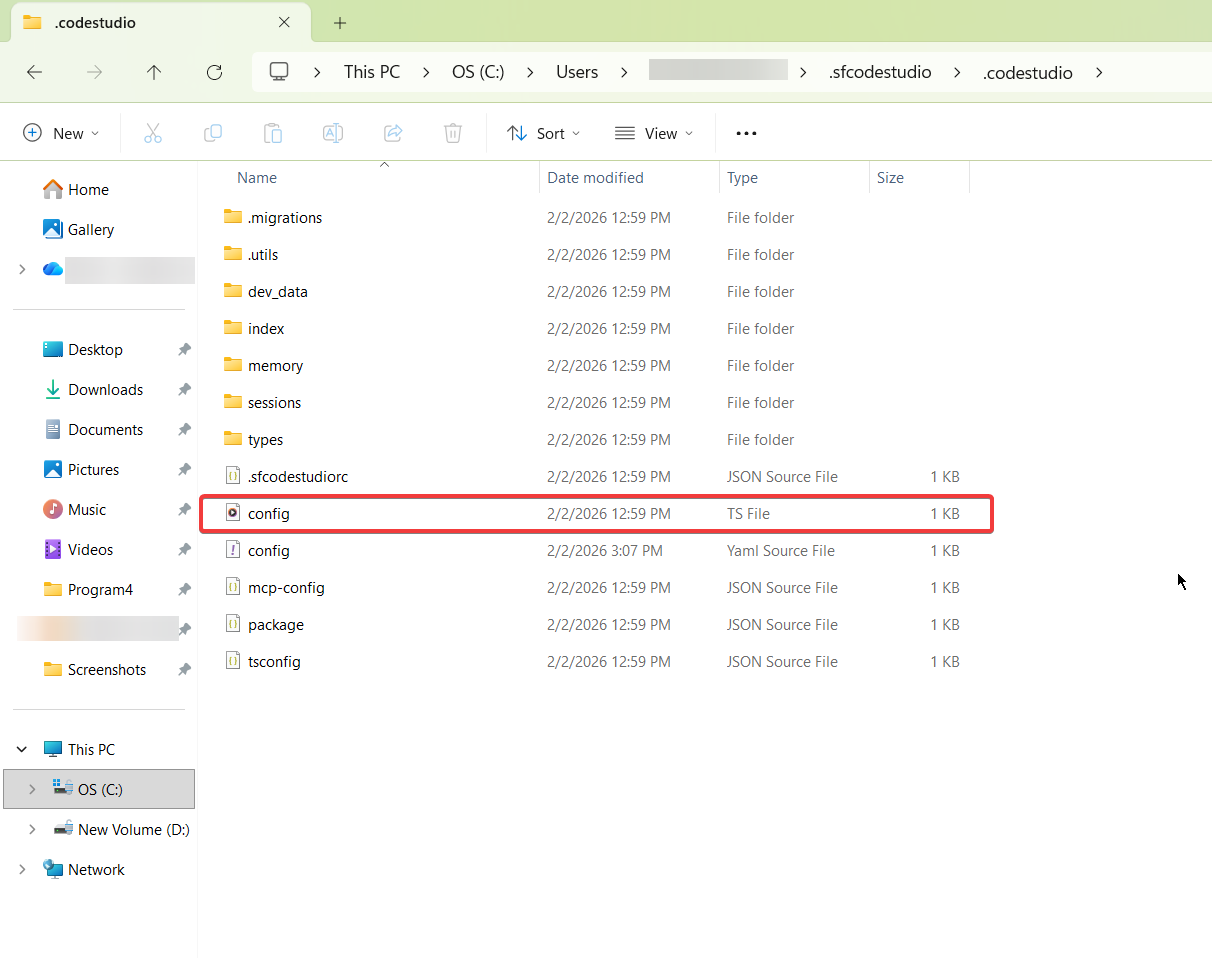
macOS
/Users/<YourName>/.sfcodestudio/.codestudio/config.yaml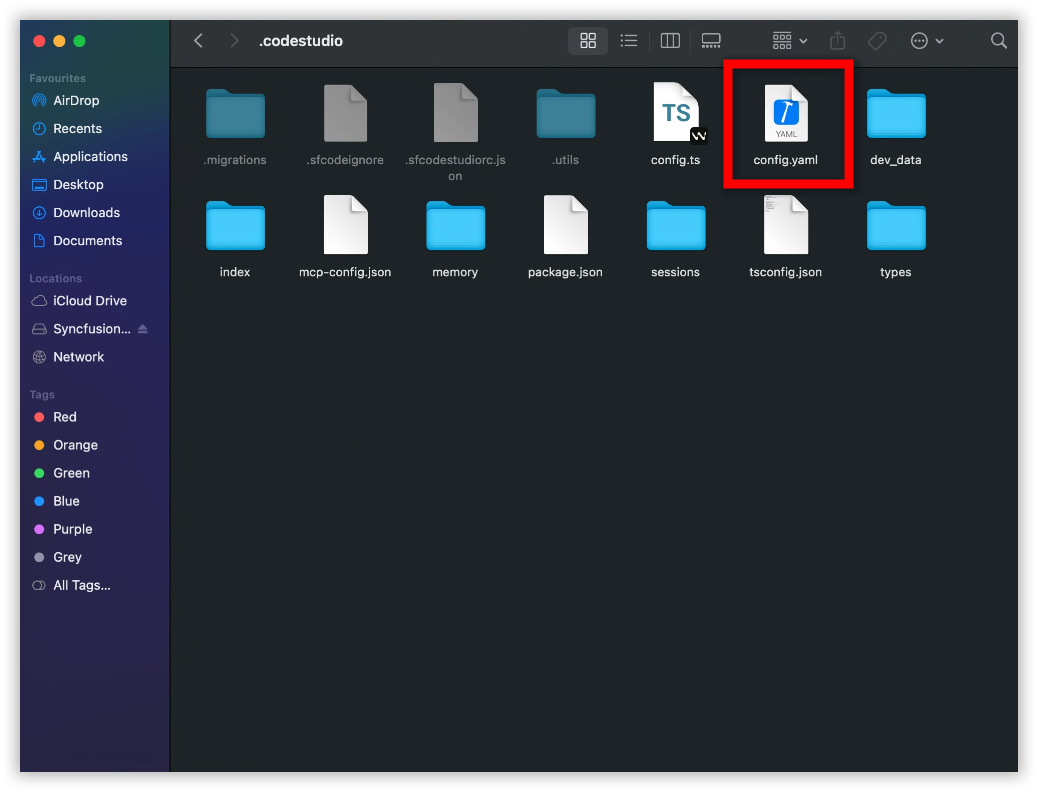
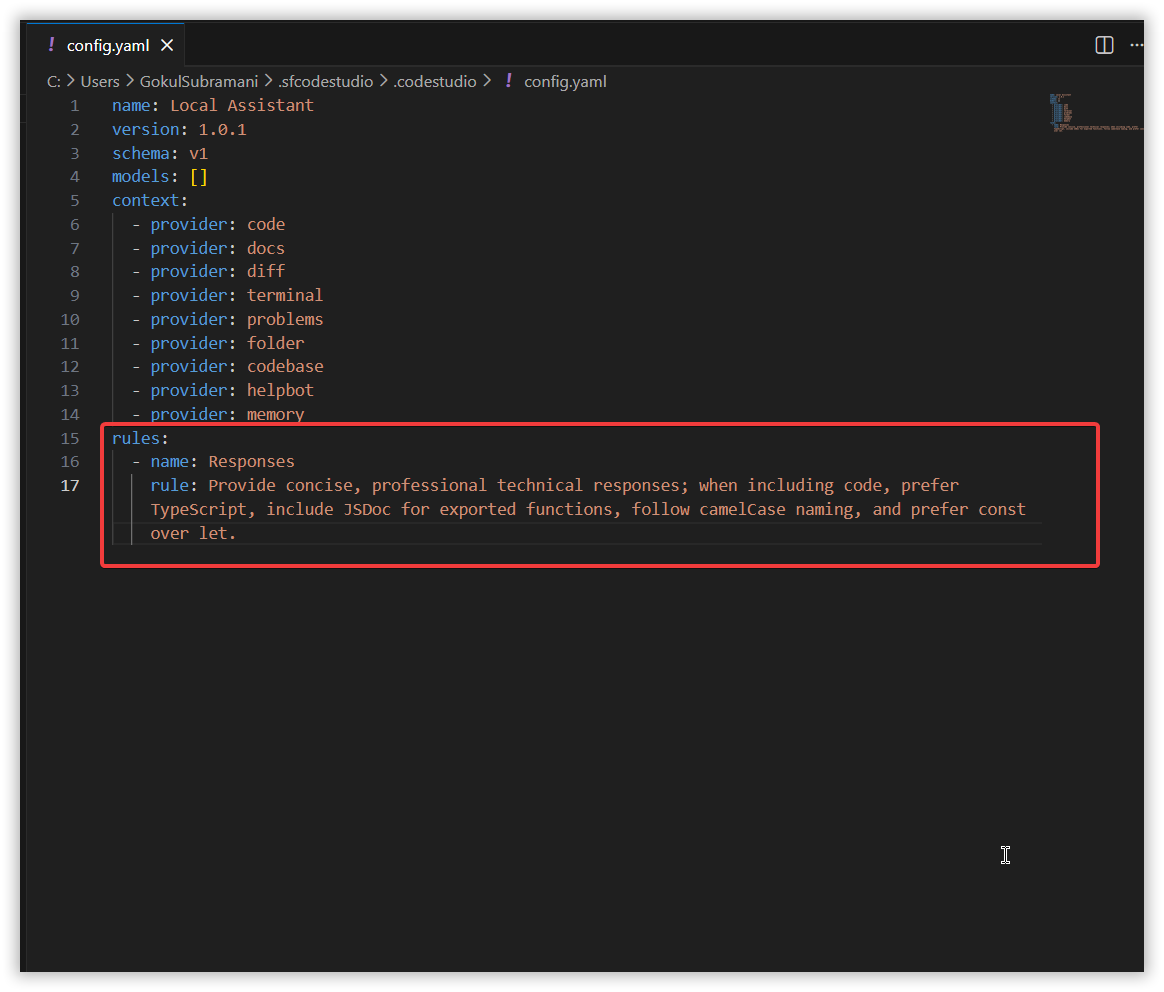
- Locate the
rules:section.
-
Copy all rule descriptions.
-
Paste them into the new instruction file below the
applyTosection.
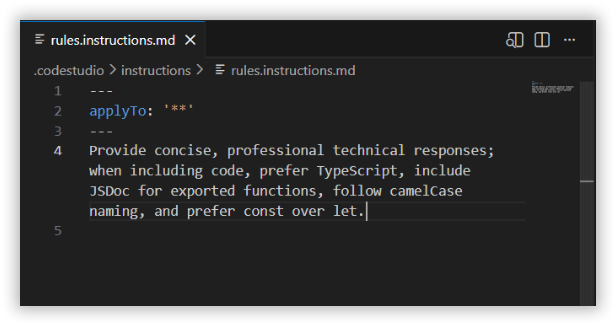
- Save the file.
If Your Rules Were in .sfcoderules File
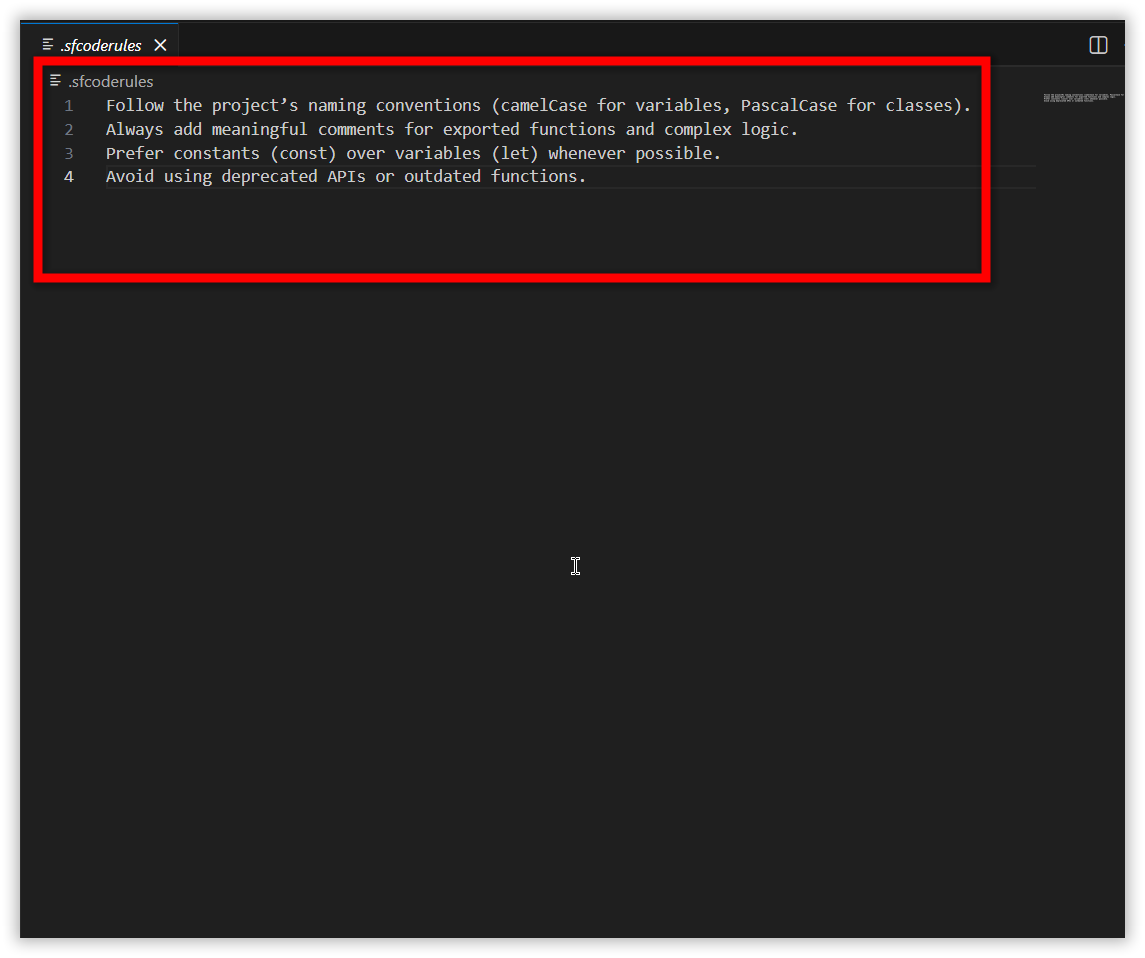
- Open the
.sfcoderulesfile in the workspace.
-
Copy all lines.
-
Paste them into your new instruction file below the
applyTosection.
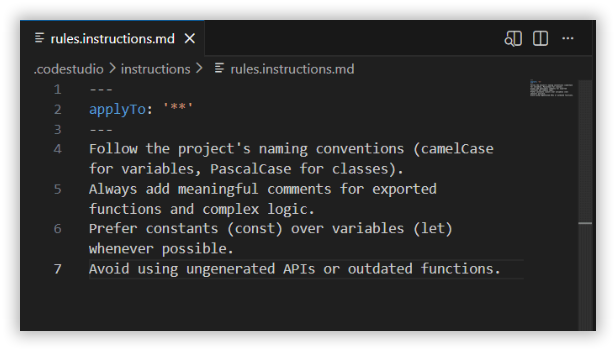
- Save the file.
How Instruction Files Will Work
Once your instructions file is saved, BoldCreate will:
- Automatically reference your new instructions
- Apply them to all future requests