

Overview
Daily credit and token tracking help you understand how much AI usage you are consuming. It shows you:
- Total tokens used today
- Credits spent for today’s usage
- Usage patterns and unusual spikes
- Ways to optimize and reduce credit usage
This helps you manage your AI usage and stay within your available credits.
When to Use
Use this tracking process when:
- You need to monitor credits usage on a daily basis.
- You’re deploying LLM-based applications that may generate unpredictable or dynamic usage.
- You want to optimize prompt efficiency or identify expensive operations.
Steps to Check Daily Credits and Token Usage
Follow these steps to view your credits and token usage in BoldCreate:
Step 1: Open BoldCreate
- Open BoldCreate Application.
- Ensure you are logged in with the correct user credentials.
Step 2: Open Account Settings
- In the top-right corner of BoldCreate, click your avatar.
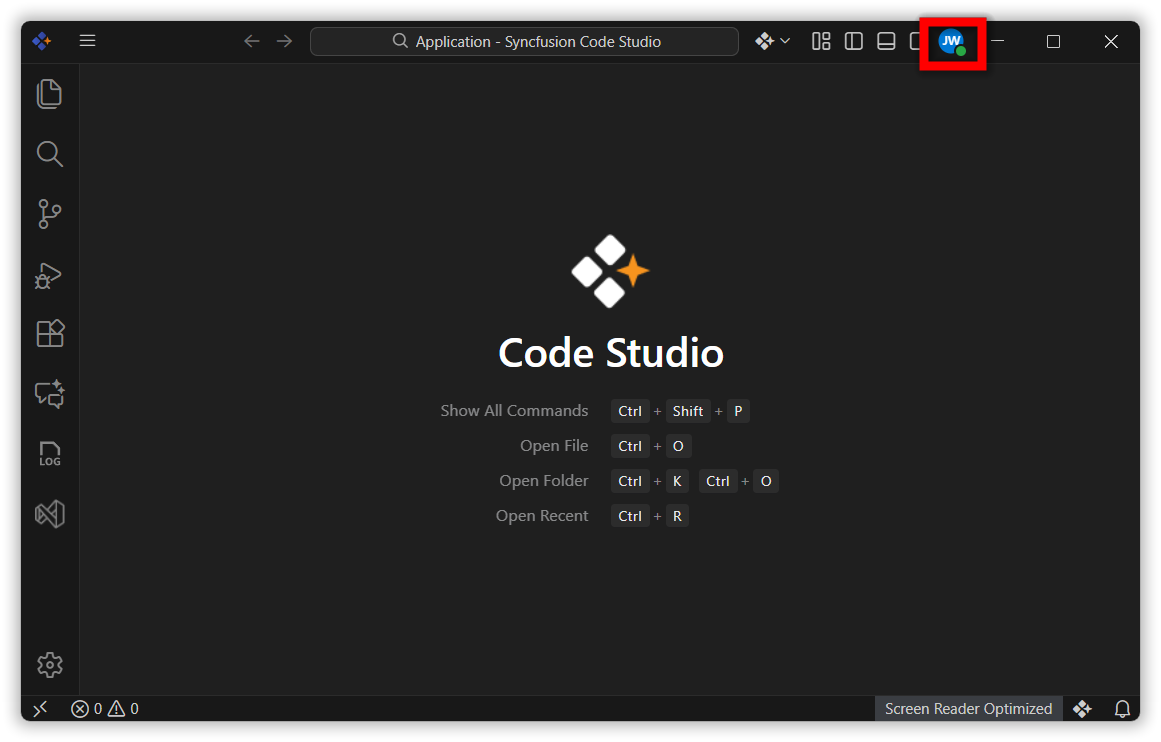
- This opens the Account tab within the Settings page.
Step 3: Navigate to the Dashboard
- In the Account section, click Open Dashboard.
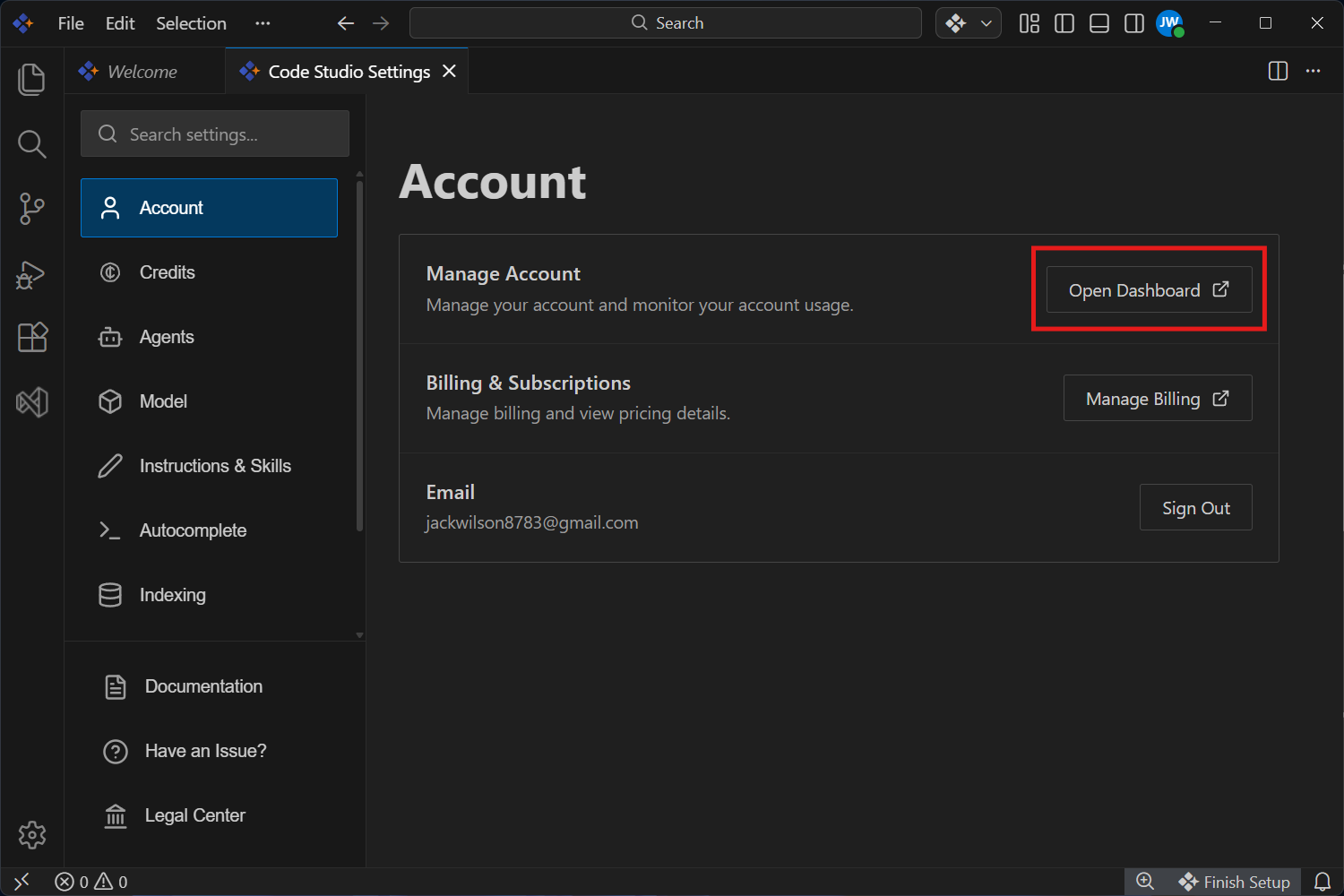
- You are redirected to the web dashboard where credits and usage information is displayed.
Step 4: Select Today’s Date
- In the dashboard, locate the date filter at the top of the page.
- Click the date field and select This week.
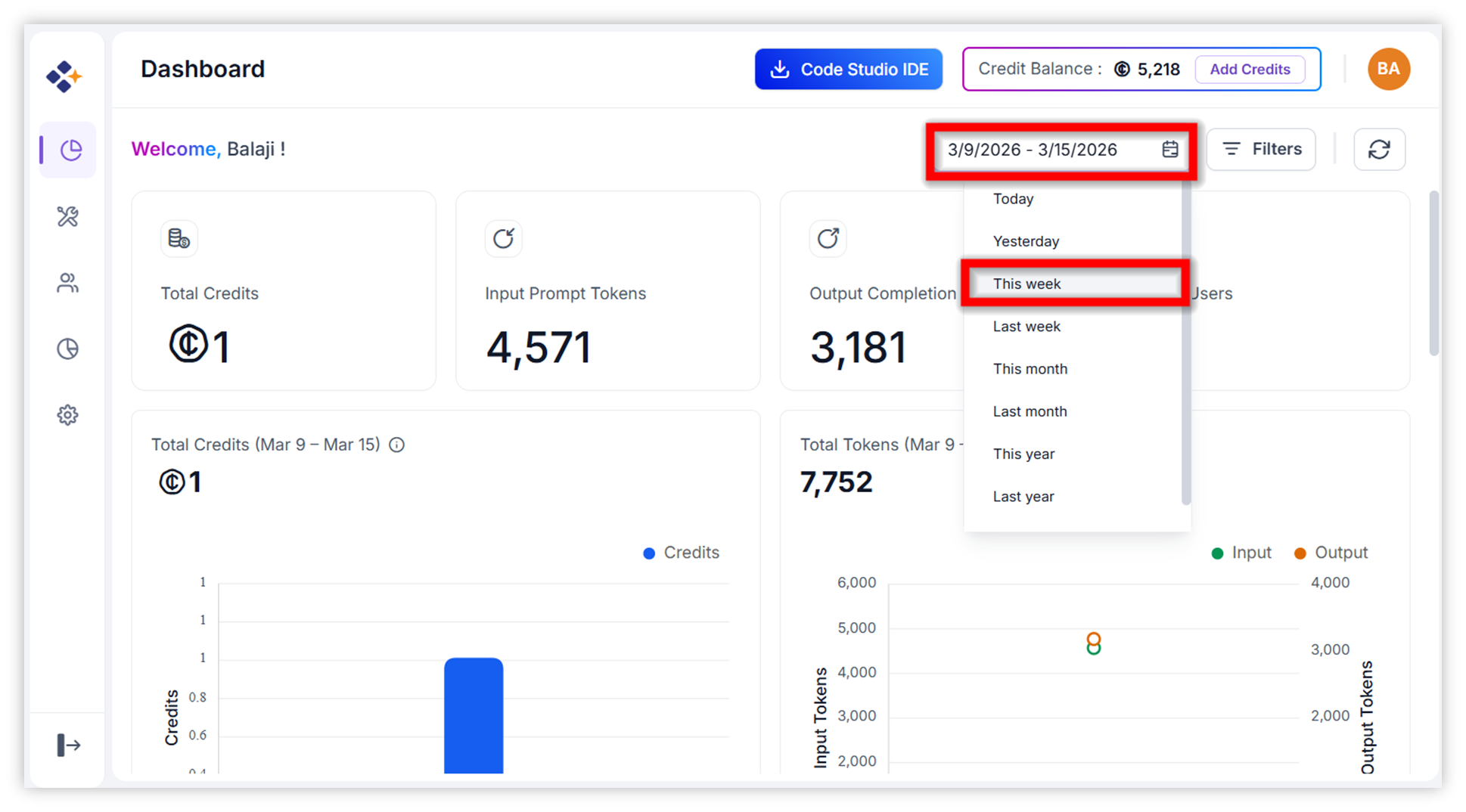
Step 5: Select your name in the User field from the Filter.
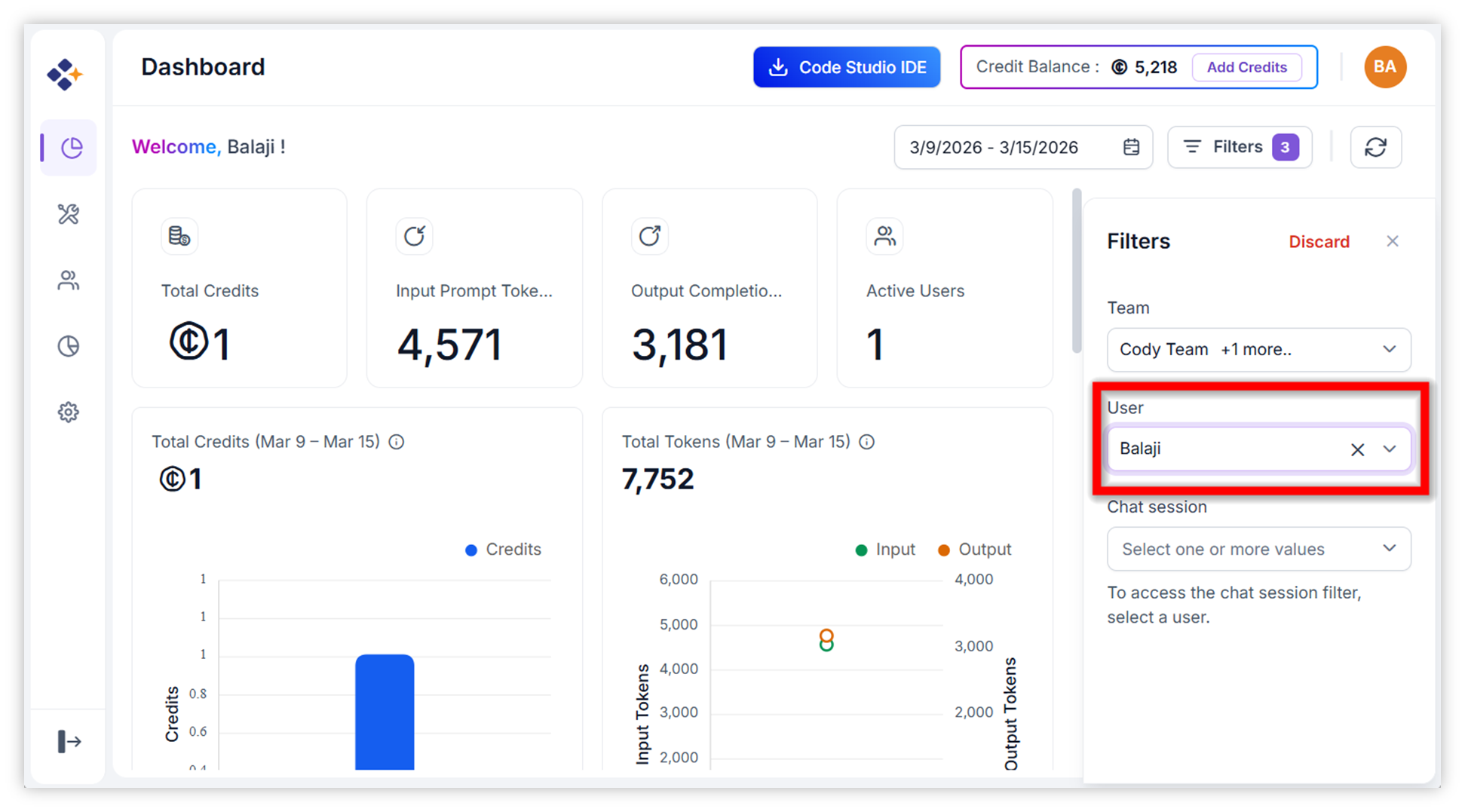 - The dashboard refreshes to show today’s credit usage.
Step 6: Select the chat session from the Filter.
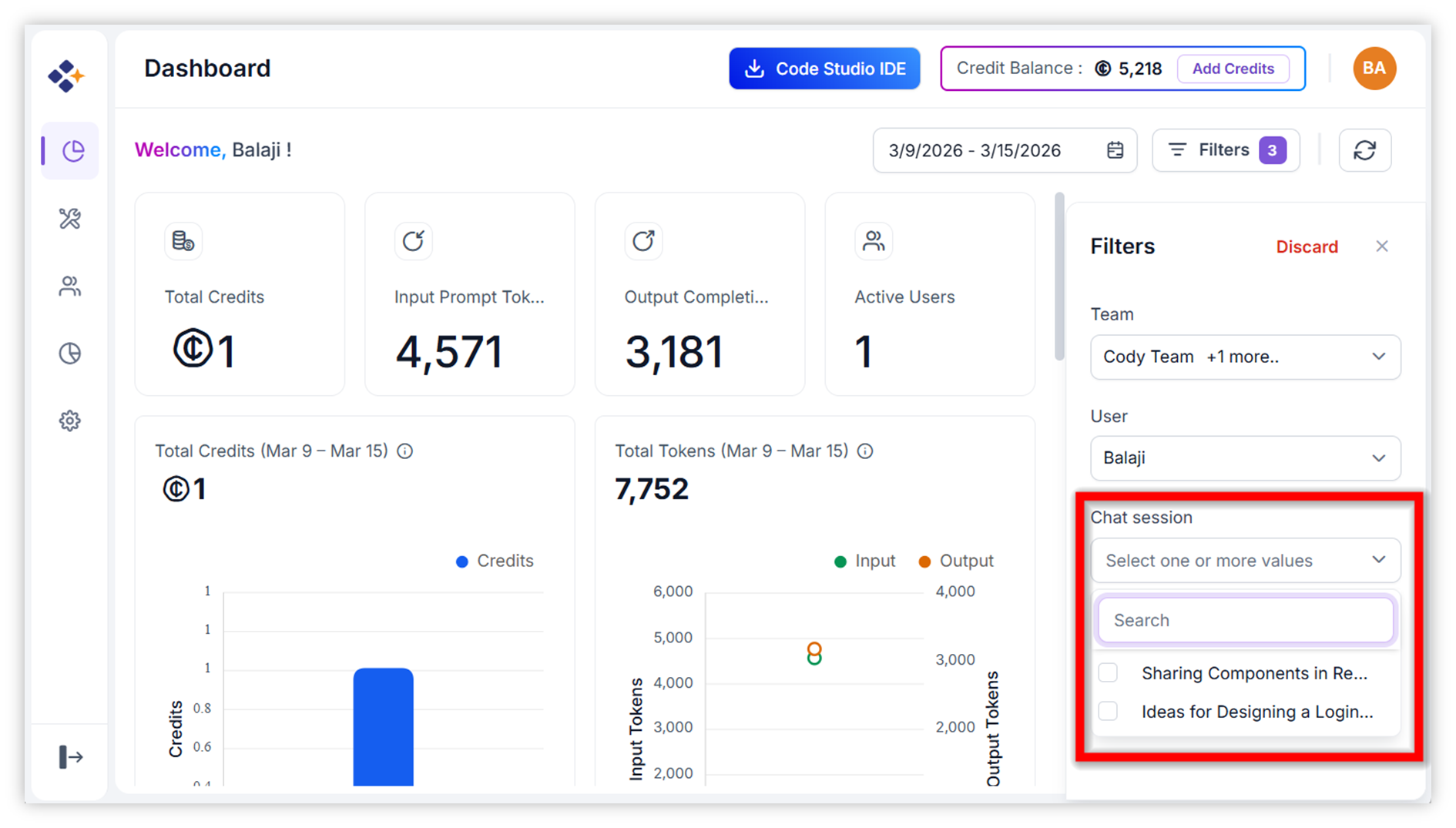 - The dashboard refreshes to show today’s credit usage for the chat session.
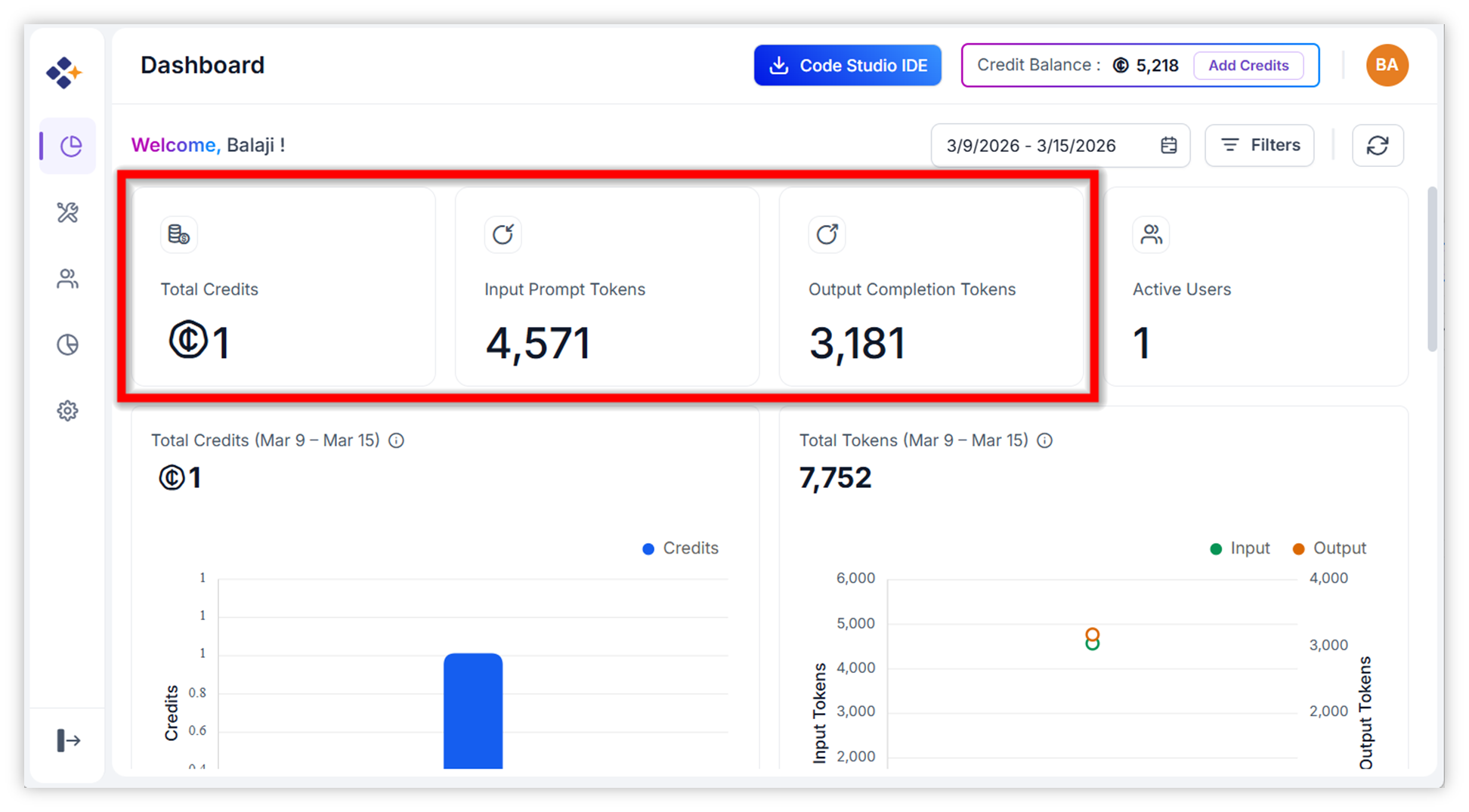
Step 7: View Daily Credit Usage
- After setting the date to Today, you see the total credit incurred today.
- This section represents your daily credit usage.
Step 8: Scroll down to view Token Usage
- Scroll down the dashboard page.
- Below the credits summary, you will find the Token Usage section.
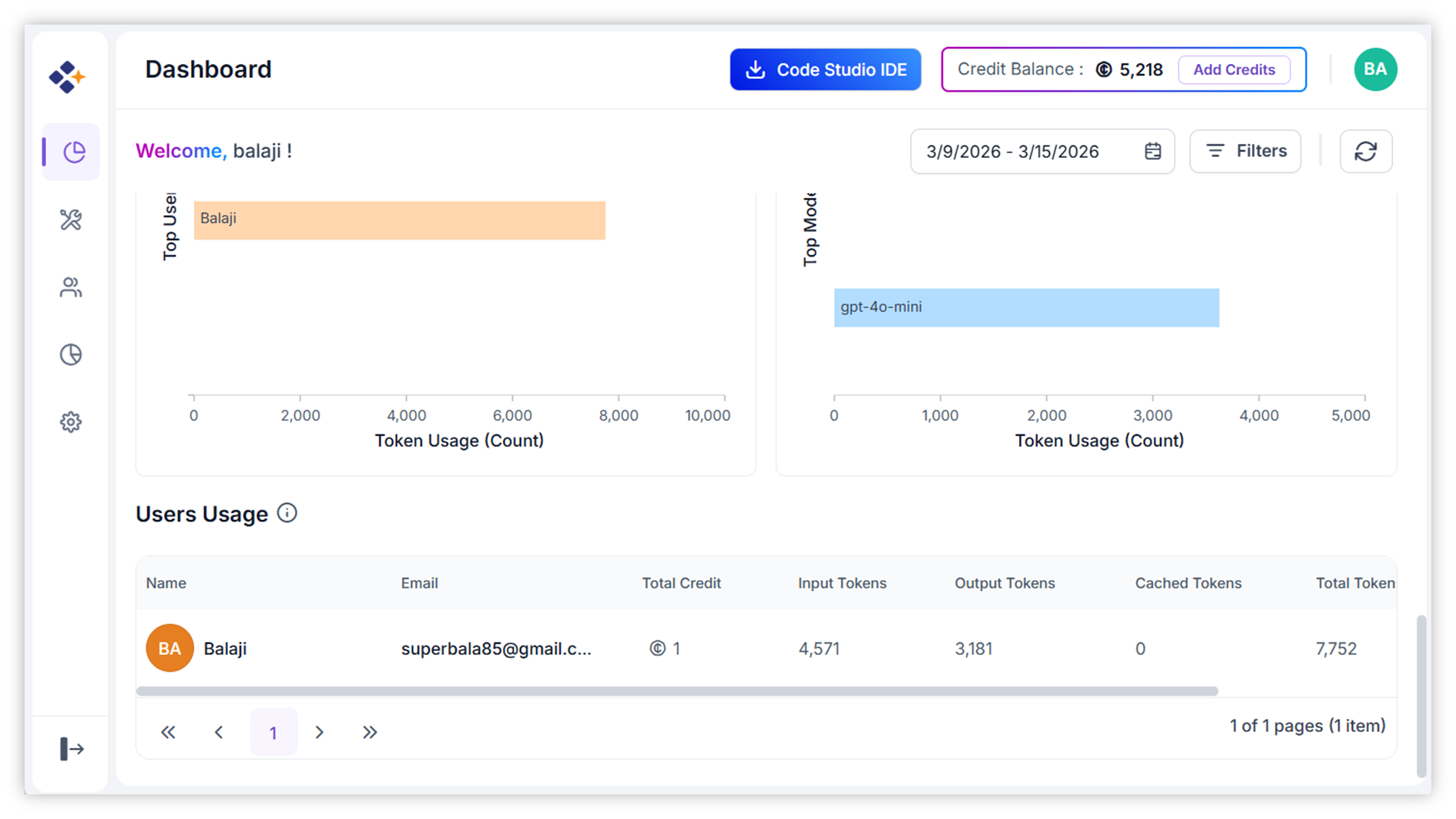
Here is what you can track: - Token usage across different models you used today (hover over a model name). - Input vs. output token breakdown. - Total tokens consumed. - Model-specific token consumption trends.