
What you’ll learn
- How to get a single answer without opening the chat
- How to send input from a file or another command
- How to get machine-readable JSON output
- How approvals work when nobody is watching
- How to sign in from scripts and automated builds
- What each exit code means
What print mode is
In print mode, BoldCreate runs your request once, prints the final answer, and exits. It is useful for quick questions and scripts.
BoldCreate uses print mode when you pass -p (--print), --mode, or --json, or when input or output is not a terminal, such as when you pipe text into it.
boldcreate -p [PROMPT...] [@file...] [options]| Argument or option | What it does |
|---|---|
PROMPT | Your request. Put it in quotes if it has spaces. |
- | Read the request from standard input (a pipe). |
@file | Attach a text file (up to 256 KB) or an image. |
--mode text|json | Choose output format. Text is the default. |
--json | Same as --mode json. |
-y, --yes | Run every action without asking (auto mode). |
--approve-tools LIST | Tools that never need approval, separated by commas. |
-c, --session ID | Continue a session instead of starting one. |
--no-session | Don’t save the conversation. |
--verbose | Also print each tool call on the error stream. |
Other chat options, such as --model, --thinking, --agent, and --cwd, also work.
Examples
boldcreate -p "summarize README.md"
boldcreate -p "what is wrong in this screenshot?" @shot.png
boldcreate -p "review this file for bugs" @src/app.ts
boldcreate -p "fix the failing test" --yes
boldcreate -c -p "now update the changelog"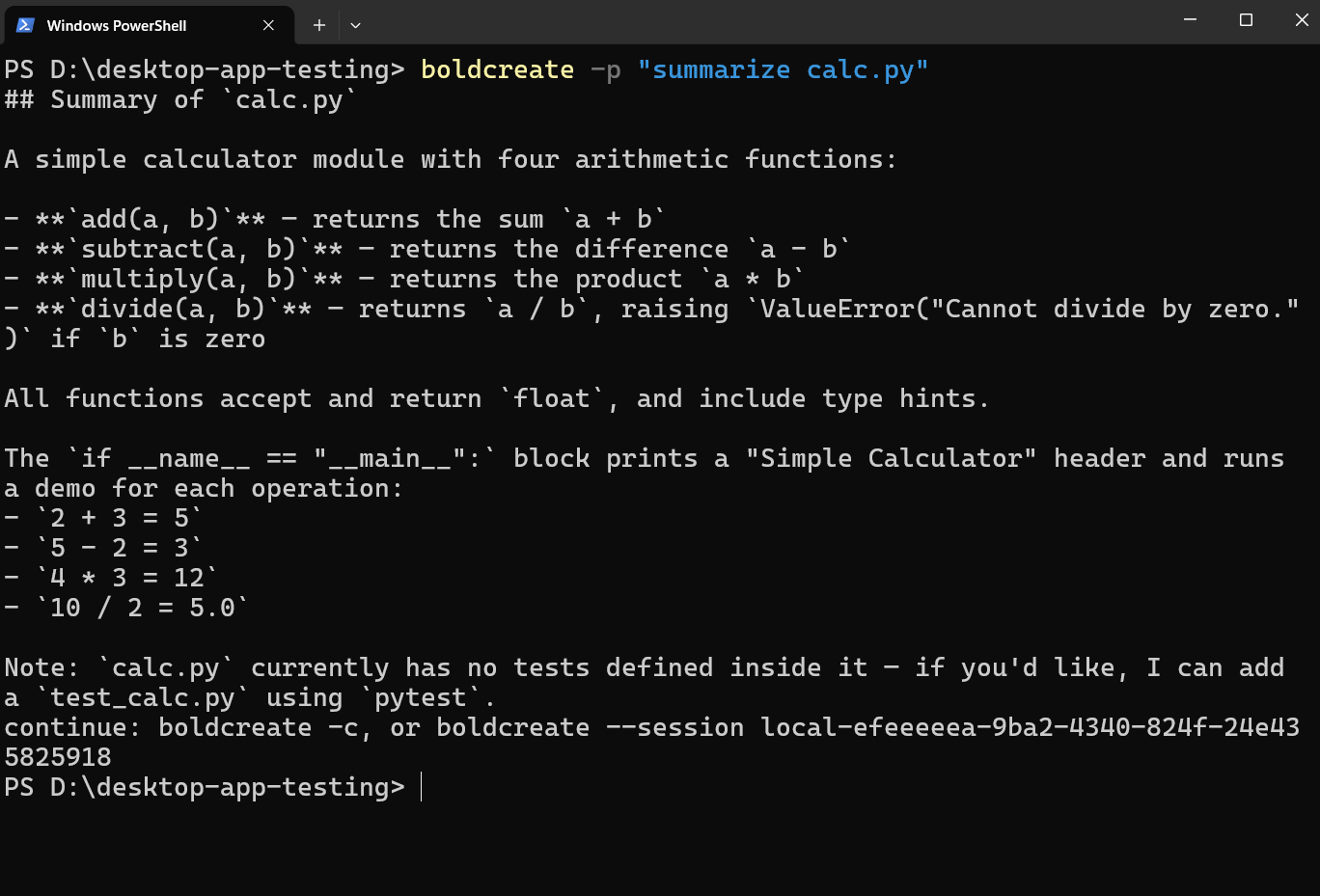
In text mode, only the final answer goes to standard output. BoldCreate prints a continuation command to the error stream:
continue: boldcreate -c, or boldcreate --session <session id>Redirect output to save just the answer:
boldcreate -p "write release notes" > notes.mdSend input from a file or command
Use - to read a request from a pipe:
macOS:
echo "what is 2+2?" | boldcreate -p -
cat error.log | boldcreate -p "explain this error"
Windows (PowerShell):
"what is 2+2?" | boldcreate -p -
Get-Content error.log | boldcreate -p "explain this error"
When you pipe text and provide a prompt, the piped text comes first, followed by your prompt. Images named in piped text are not attached; pass them as @image.png arguments. ! commands don’t work in print mode.
JSON output
boldcreate -p "list the files" --jsonBoldCreate prints one JSON object per line to standard output. Each object is an event, such as assistant text, a tool call, or an error. Human-readable messages go to the error stream, keeping standard output valid JSON lines.
Other commands also accept --json, including boldcreate sessions --json, boldcreate --list-models --json, and boldcreate mcp list --json.
Note:
--jsonconflicts with--mode text.
Approvals in print mode
Nobody can answer an approval prompt in print mode, so BoldCreate decides based on your setup:
| Your setup | What happens |
|---|---|
| Default auto mode | Every action runs. |
--yes | Every action runs, even if your settings say "approvalMode": "manual". |
"approvalMode": "manual" in settings | Actions that need approval stop unless the tool is in --approve-tools or autoApproveTools. |
When a run stops for approval, BoldCreate exits with code 3 and tells you how to continue:
The run is waiting for approval of edit_file. Approve and continue with:
  boldcreate -p --session <session id> --approve-tools edit_file   (or --yes)
Use the narrowest approvals needed. For approval options, see Approvals and safety.
Sign in from scripts and CI
In automated builds, use environment variables rather than browser sign-in. Environment variables take priority over saved sign-in.
| Variable | What it holds |
|---|---|
BOLDCREATE_CLIENT_ID | Organization API key client ID (starts with key_). Use with BOLDCREATE_CLIENT_SECRET. |
BOLDCREATE_CLIENT_SECRET | Organization API key secret. |
BOLDCREATE_TOKEN | Sign-in token, as an alternative to an API key. |
Example:
export BOLDCREATE_CLIENT_ID="key_..."
export BOLDCREATE_CLIENT_SECRET="..."
boldcreate -p "check the changelog for typos" --model <MODEL_ID>
Store secrets in your CI system’s secret storage, never in scripts or your repository. With an API key, the model list is unavailable, so pass --model or set BOLDCREATE_MODEL.
Exit codes
| Code | Meaning |
|---|---|
0 | Success |
1 | The run failed |
2 | Wrong command or options, or not signed in |
3 | Stopped waiting for approval |
130 | Cancelled |
In a shell, check the last exit code with echo $? (macOS) or $LASTEXITCODE (PowerShell).
Common mistakes
| Mistake | Message or fix |
|---|---|
| No prompt and nothing piped | boldcreate: nothing to do: pass a prompt (or pipe one in) |
| Not signed in | Run boldcreate login. |
| Attaching a file over 256 KB | Reference it by path instead. |
| Attaching a binary file as text | Only text files can be attached with @file. |
Using -r in print mode | Use --session ID; --resume opens an interactive picker. |