
The Manage Approval Settings helps administrators control how approval requests are reviewed and approved within the organization. It allows you to set up approval rules and assign the people responsible for approving requests
When to Use
Use this page to:
- Configure approval workflows.
- Assign or update approvers.
- Control how requests are reviewed and approved.
- Ensure requests follow the organization’s approval process.
- Maintain consistency and accountability in approval decisions.
How to Verify and Manage Approval Settings
Note: Only organization administrators can manage approval settings.
Step 1: Go to the Settings page and open the Budget approval section.
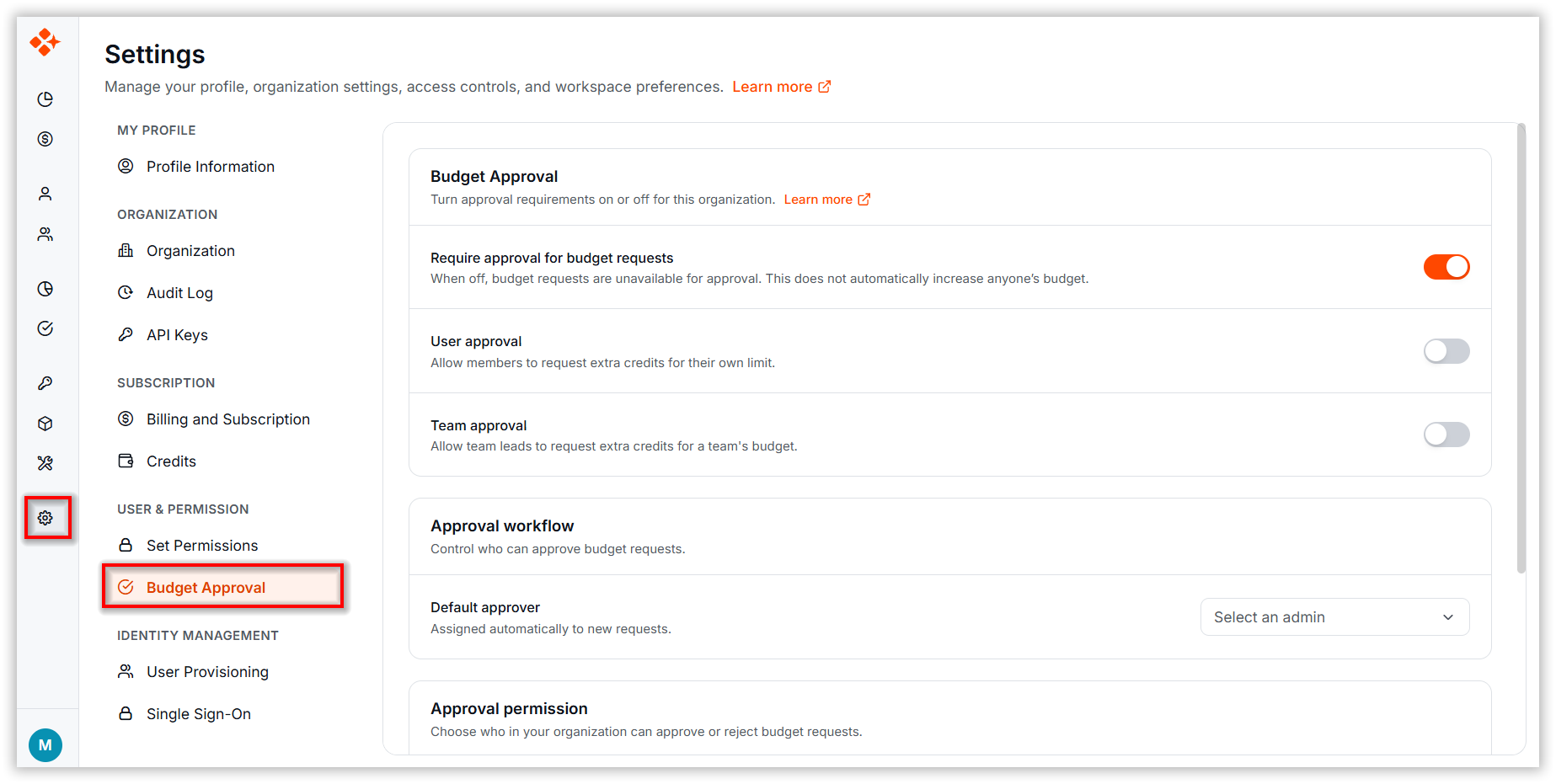
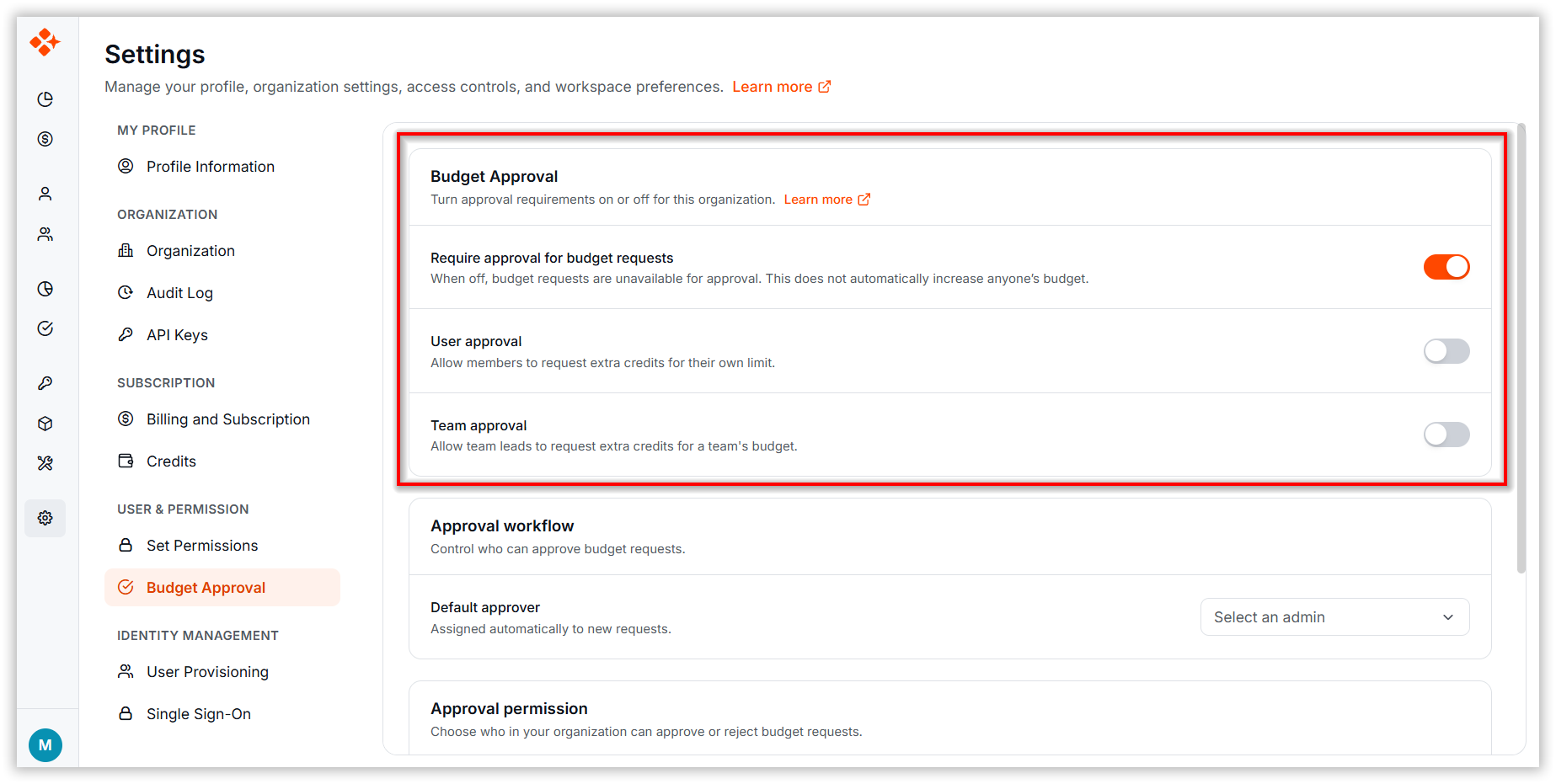
Step 2: Configure the Budget Approval Settings
-
Require approval for budget requests: Turns the approval requirement on or off for the entire organization. Turning it off requires confirmation. When approval is off, budget requests are unavailable for approval.
-
User approval: Allows users to request additional credits when they reach their usage limit.
-
Team approval: Allows Team Leads to request additional credits for their team’s budget.
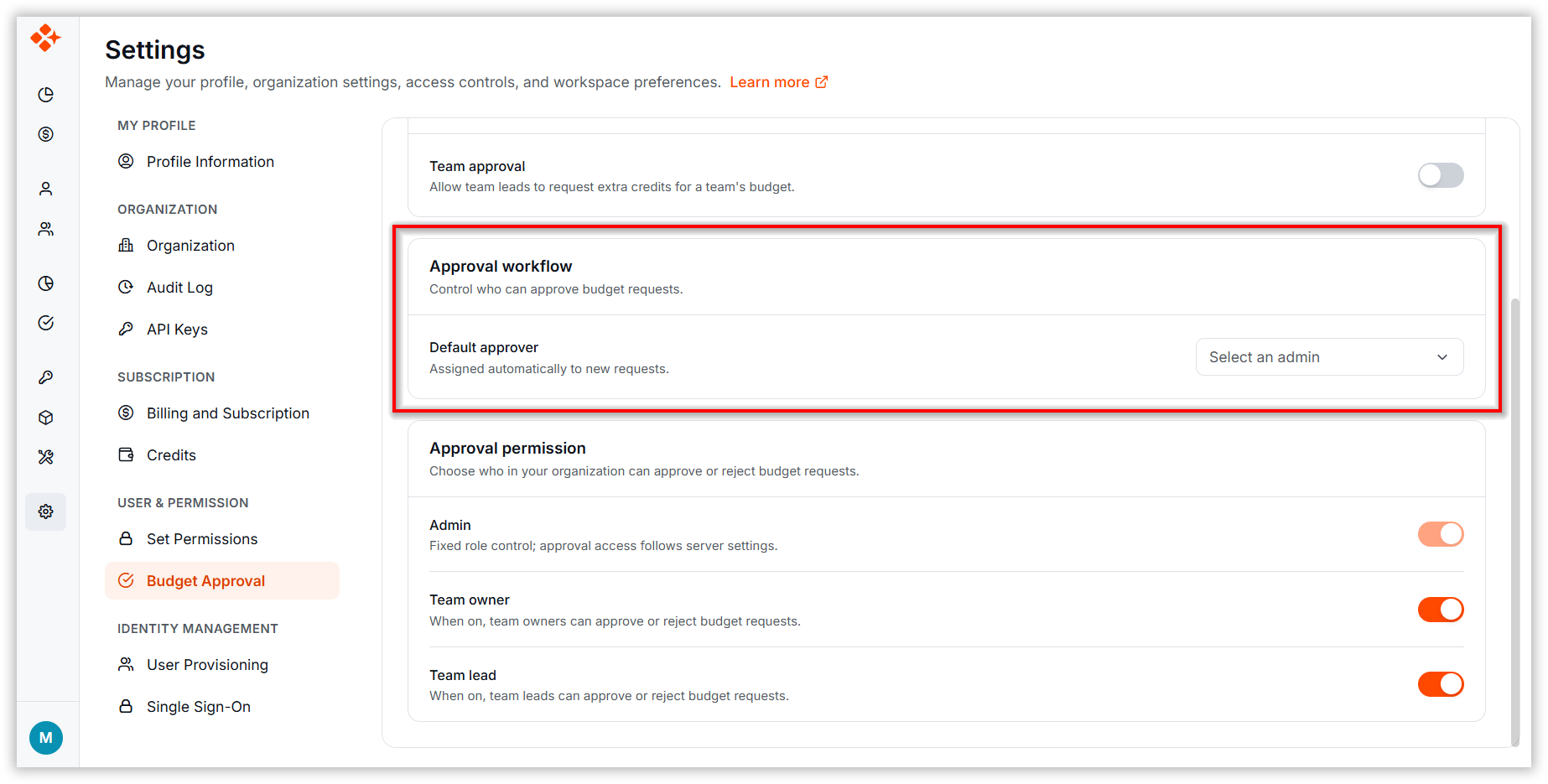
Approval Workflow
-
Default approver: Select the administrator who will automatically receive and review new approval requests assigned to administrators.
Approval Permission
-
Admin: Fixed role control. Approval access follows server configuration and cannot be modified from this page.
-
Team Owner: Approval can be enabled or disabled as needed.
-
Team Lead: approval can be enabled or disabled as needed.
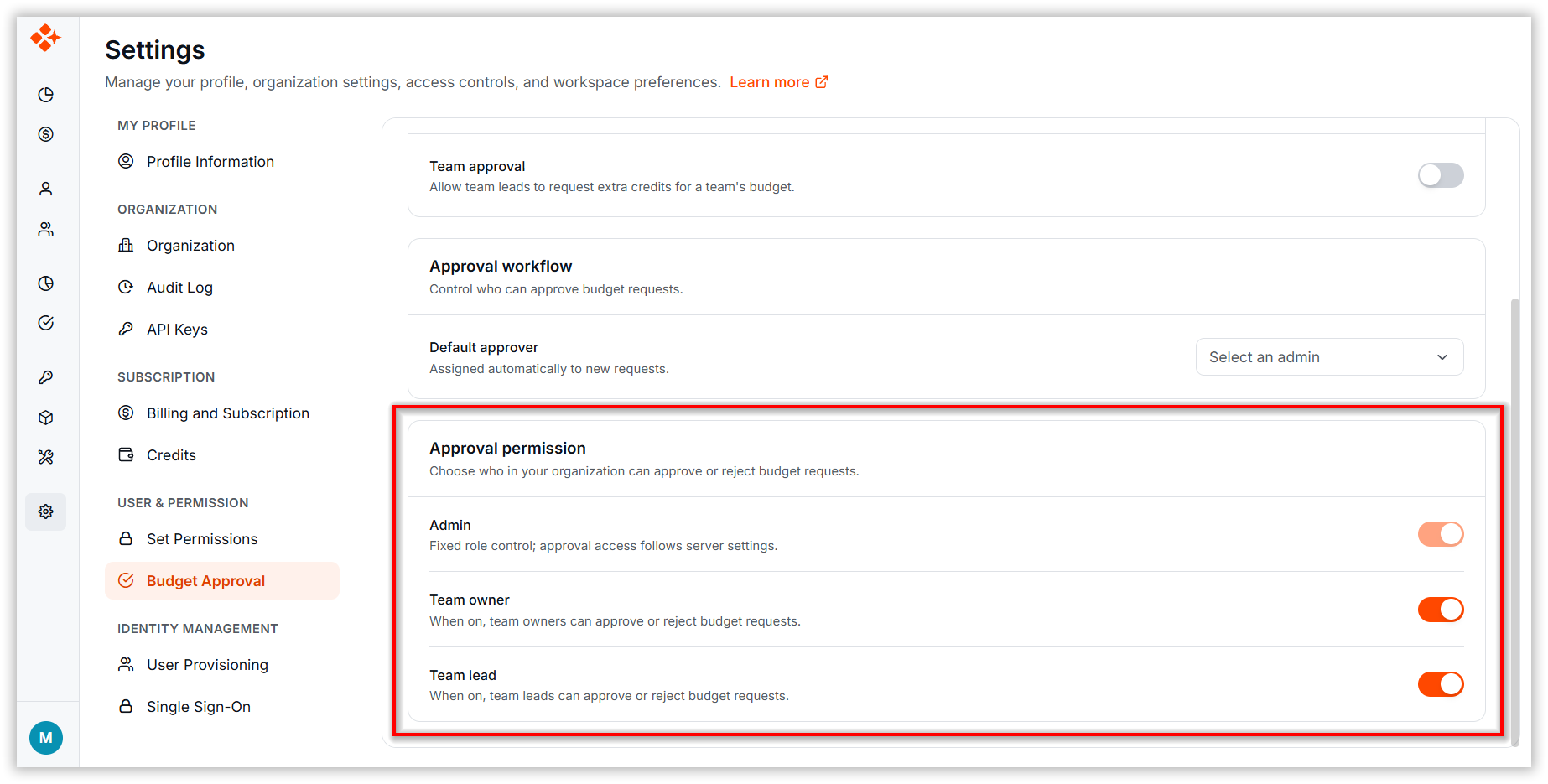
Note: These settings control who can see the Approval page and what kind of requests can be created. If a member reports that the Approval page is unavailable, verify that approval is enabled and that User approval is turned on.