
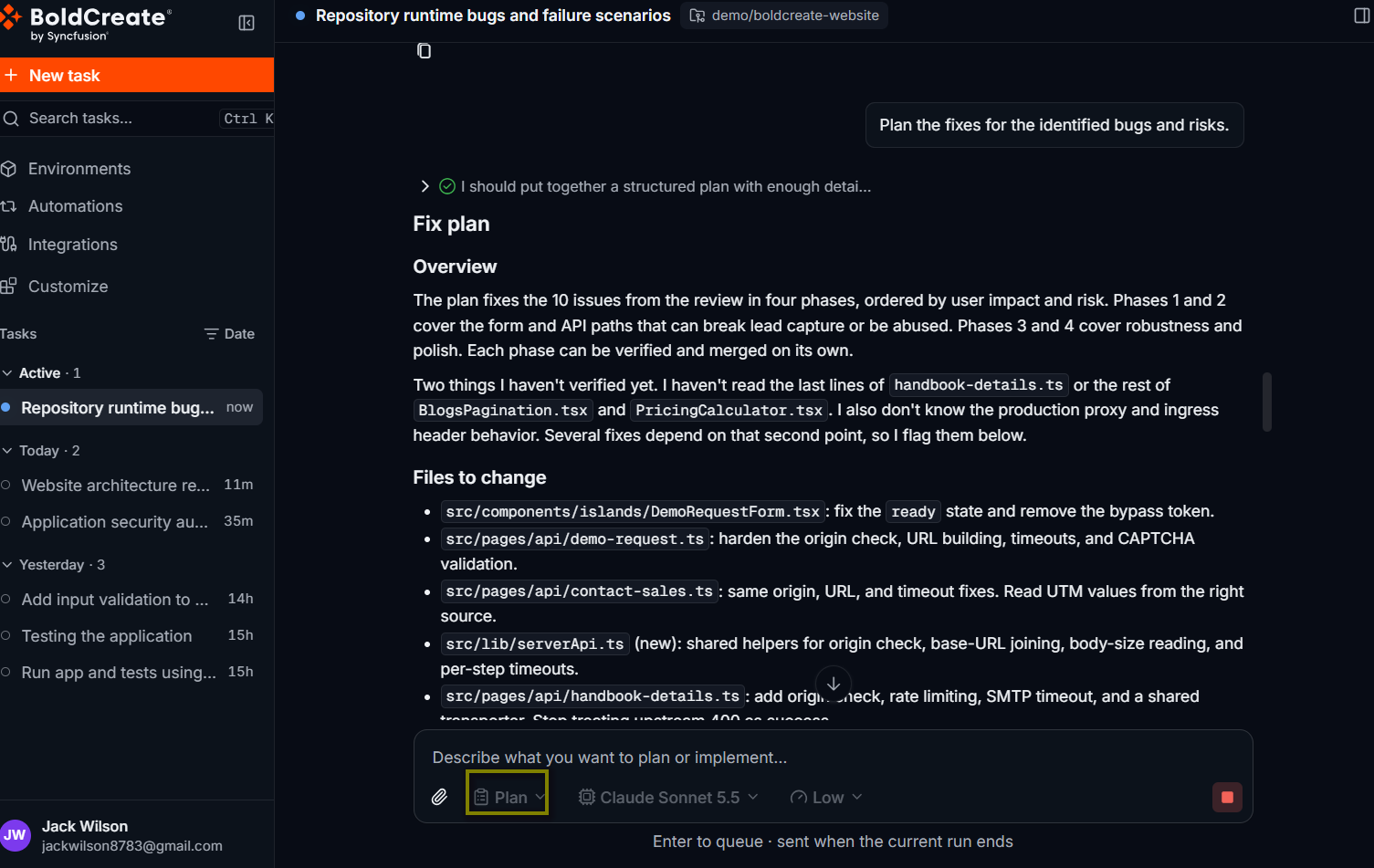
Plan is the built-in agent for planning. It is described in the product as “Produce a structured implementation plan without writing any code”. It reads and searches your code, then writes a step-by-step plan that names the files to change, the risks, and how to check the result. It never edits files, runs commands, or pushes anything. To use it, select the agent picker below the prompt box and choose Plan under Built-in. The prompt box shows Describe what you want to plan or implement….
Use cases
- Agree on an approach before the agent changes any code.
- Break a large change into steps you can review.
- Find every file a change will touch, and the risks.
- Compare options for a design and pick one.
- Prepare a task for Agent, or for a teammate.
What a plan contains
A plan usually has these sections:
| Section | What it covers |
|---|---|
| Overview | What the change does and the approach. |
| Files to Change | Every file to create or change, and why. |
| Implementation Steps | Numbered steps in the order to do them. |
| Risks & Considerations | Edge cases, breaking changes, and things to watch. |
| Acceptance Criteria | How to tell that the change works. |
Like Ask, Plan can read and search files but can’t edit files, run commands, or open pull requests. For longer plans, it may also show its working steps in the Todos list.
Create a plan
-
Start a new thread and pick a repository and branch, or open an existing thread.
-
Select the agent picker and choose Plan.
-
Describe the outcome you want and any constraints, then press Enter.
Plan how to add rate limiting to the public API: 100 requests per minute
per API key, with a 429 response and a Retry-After header. Use the
existing middleware pattern. List the files to change and the tests to add.
Result
The agent reads the relevant code and replies with a plan. Read it and check the files and steps against what you know.
Refine the plan
Reply in the same thread to change the plan. The agent updates it.
Store the counters in the existing Redis client instead of in memory, and
skip rate limiting for health check routes.
Repeat until you agree with the plan.
Hand the plan to Agent
-
In the same thread, select the agent picker and choose Agent.
-
Ask it to carry out the plan:
Implement the plan above. Run the tests after each step and fix any failures. -
Press Enter. Agent sees the whole thread, including the final plan, and works through it. Follow its progress in the thread and review the changes in the Git panel. Learn more on the Agent page.
Tip: To keep a plan for later, select Copy Response below it and save it in an issue or a document.
Best practices
- State the outcome and constraints: what must happen, and what must not change.
- Ask for tests in the plan: they become part of the work Agent does.
- Refine before you build: changing a plan costs less than changing code.
- Hand off in the same thread: Agent then has the plan and the reasons behind it