
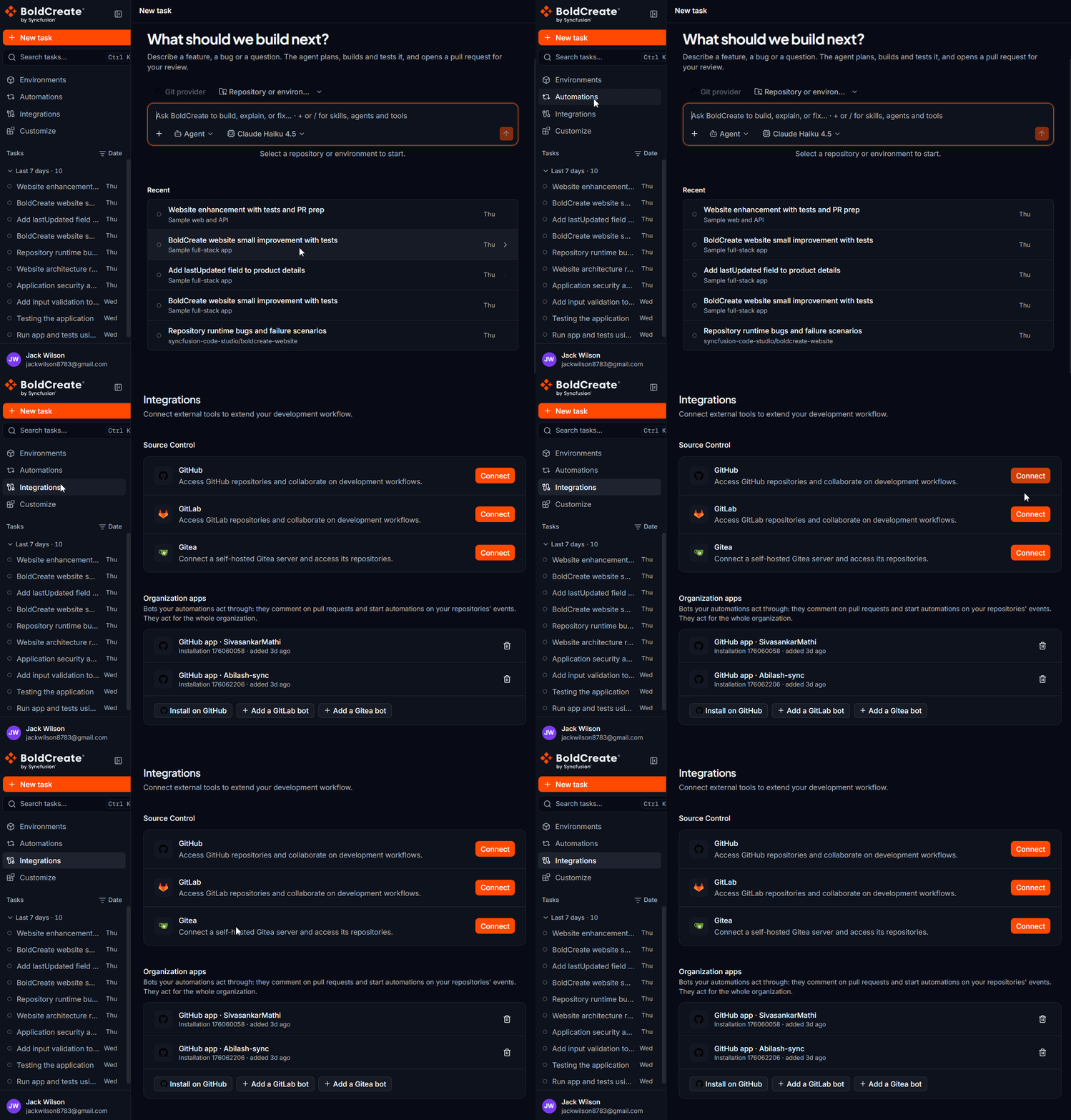
Integrations connect Bold Create to your Git provider. Once connected, you can pick your repositories and branches in a thread, and the agent can push its work and open pull requests for you. To open the page, select Integrations in the sidebar.
Use cases
- Give the agent access to the repositories you want it to work on.
- Pick a repository and branch when you start a new thread.
- Add repositories to an environment.
- Let the agent push its branch and open a pull request in your Git provider.
- Use a self-hosted Gitea server alongside GitHub or GitLab.
Supported providers
The Source Control section lists each provider you can connect.
| Provider | How you connect | Learn more |
|---|---|---|
| GitHub | Sign in to GitHub in your browser and approve access. | Connect GitHub |
| GitLab | Sign in to GitLab in your browser and approve access. | Connect GitLab |
| Gitea | Enter your server URL and a personal access token. | Connect Gitea |
You can connect one account for each provider. You can connect more than one provider at the same time.
What access Bold Create gets
When you connect GitHub or GitLab, the connect dialog lists what Bold Create will be able to do:
- Select repositories to use with Bold Create.
- Access branches and repository metadata.
- Use agent-powered development workflows. Bold Create uses this access to list your repositories and branches, copy a repository into the agent’s cloud environment, push the agent’s branch, and open pull requests (merge requests on GitLab). Bold Create can see only the repositories that your provider account can access. Your connection is personal. Other members of your organization do not use your connection. N> Bold Create stores your access token securely. The token is never shown in the app after you connect.
Connection states
Each provider row shows its state on the right.
| What you see | Meaning |
|---|---|
| Connect button | The provider is not connected, or its access stopped working. Select Connect to connect it. |
| Connecting… | Bold Create is completing the connection. |
| Connected badge and Manage button | The provider is connected and ready to use. |
| Connected to {host} | The provider is connected to the server shown, for example a Gitea server. |
| Disconnecting… | Bold Create is removing the connection. |
After a connection attempt, a message appears in the bottom-right corner, for example GitHub connected successfully. or GitHub could not be connected.
Use a connection in a thread
When you start a new thread, the Git provider button above the prompt box shows the provider in use, for example GitHub. If you connected more than one provider, select the button and choose a provider under Git provider. The Repository or environment picker then lists the repositories from that provider. If you pick a repository without a connected provider, the composer shows Connect a Git provider to use this repository. For the full flow, see Quick Start.
Disconnect a provider
- In the sidebar, select Integrations.
- In the provider row, select Manage.
- Select Disconnect.
- In the Disconnect {provider}? dialog, select Disconnect. The dialog warns: “Bold Create will lose access to repositories connected through this provider. Active agent tasks may be interrupted.” Disconnecting can interrupt threads that are running on repositories from that provider. Wait for running threads to finish before you disconnect.
Best practices
- Connect with an account that can push to the repositories you want the agent to change.
- Use a small test repository for your first task.
- For Gitea, create a dedicated token for Bold Create so you can revoke it without affecting other tools.
- If a repository is missing from the picker, check its access in your Git provider first.
Troubleshooting
The page shows “Connections could not be loaded”: Bold Create could not load your connections. Select Retry. If it still fails, refresh the page or sign in again. A provider that was connected now shows Connect: its access token expired or was revoked. Select Connect to connect it again. See Integration token expired or revoked. A repository is not listed: see Repository or branch not listed.