
Connect GitHub when you want the agent to work on repositories hosted on GitHub. You sign in to GitHub in your browser and approve access. You do not need to create a token.
Before you begin
- You can sign in to Bold Create. See Sign in and access.
- You have a GitHub account that can access the repositories you want to use.
- To let the agent push branches and open pull requests, your account needs write access to those repositories.
Steps
-
In the sidebar, select Integrations.
-
Under Source Control, find GitHub and select Connect. The Connect GitHub dialog opens. It lists what Bold Create will be able to do:
- Select repositories to use with Bold Create.
- Access branches and repository metadata.
- Use agent-powered development workflows.
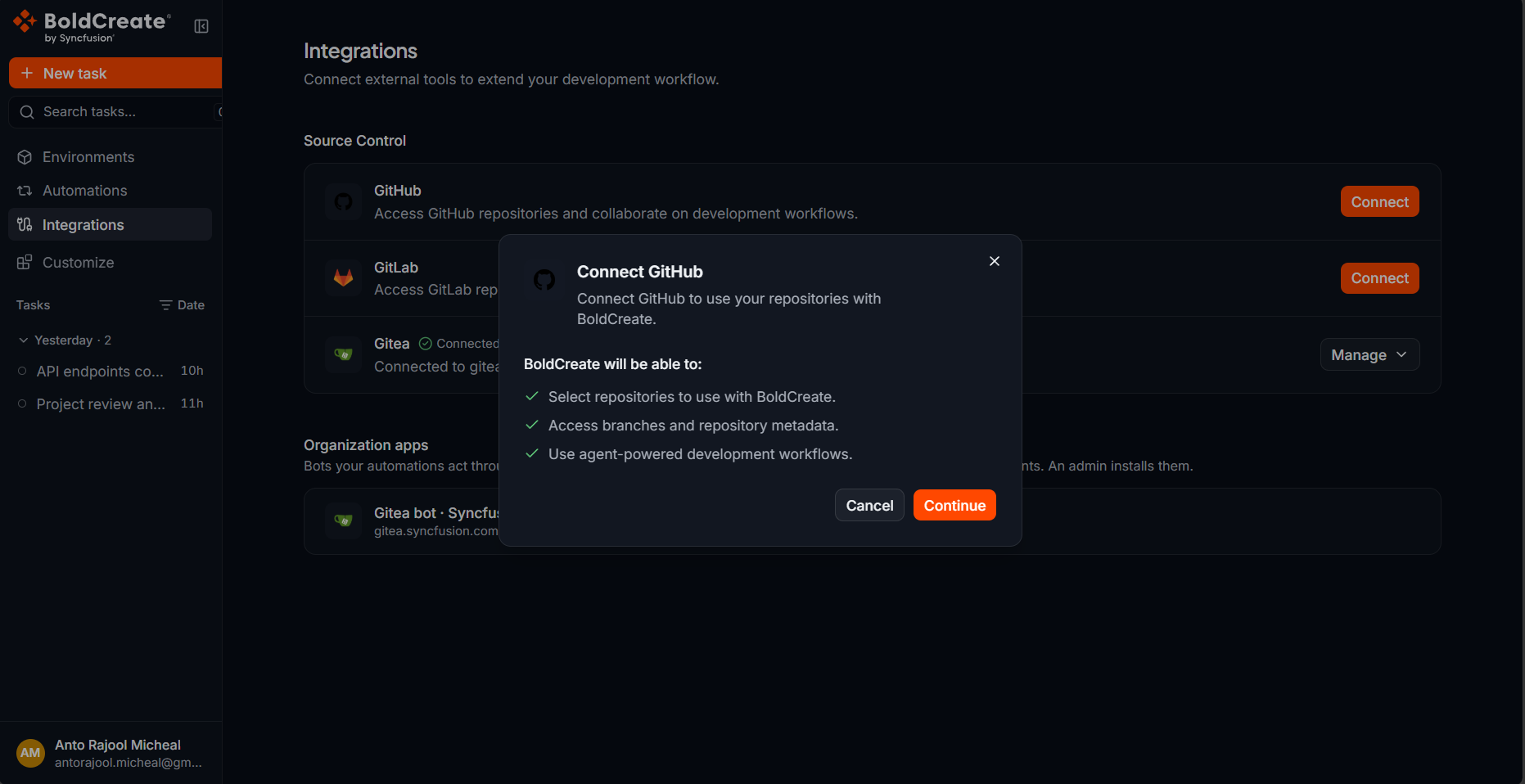
-
Select Continue. GitHub opens in your browser.
-
Sign in to GitHub if asked.
-
Review the requested access and approve it. GitHub asks for access to your repositories and your profile. If your repositories belong to a GitHub organization that restricts third-party access, an organization owner may need to approve Bold Create before those repositories appear. You can request approval from the GitHub authorization page.
Verify
After you approve access, GitHub returns you to the Integrations page.
- A message appears: GitHub connected successfully.
- The GitHub row shows the Connected badge and a Manage button.
To check that your repositories are available:
- In the sidebar, select New task.
- Check that the Git provider button above the prompt box shows GitHub.
- Select Repository or environment and search for one of your repositories under Repositories.
Reconnect GitHub
If you revoke Bold Create’s access in GitHub, or the access stops working, the GitHub row shows Connect again. Select Connect and repeat the steps above. Your new connection replaces the old one.
Disconnect GitHub
- In the sidebar, select Integrations.
- In the GitHub row, select Manage.
- Select Disconnect.
- In the Disconnect GitHub? dialog, select Disconnect. The message GitHub disconnected successfully. appears, and the row shows Connect. Bold Create loses access to your GitHub repositories. Threads that are running on a GitHub repository may be interrupted. Disconnecting removes the connection from Bold Create only. To remove the authorization from GitHub as well, revoke it in your GitHub account settings under the applications you have authorized.
Troubleshooting
- “GitHub could not be connected.” The sign-in was canceled or GitHub did not approve the request. Select Connect and try again.
- A repository is missing from the picker. Your GitHub account may not have access to it, or an organization owner has not approved Bold Create. See Repository or branch not listed.
- A thread shows “GitHub OAuth token is invalid or has been revoked. Please reconnect the integration.” Connect GitHub again on the Integrations page. See Integration token expired or revoked.