
Problem summary
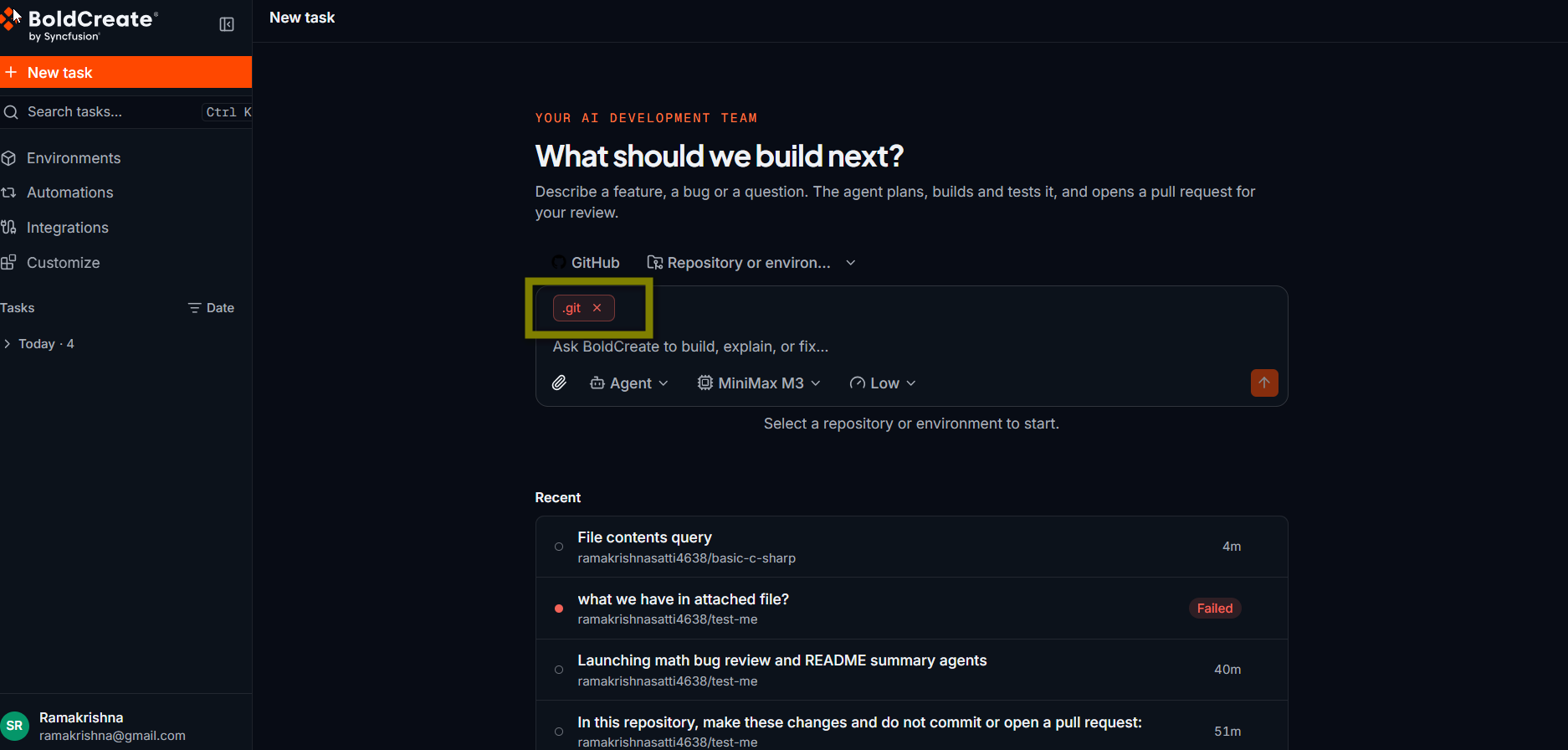
You can attach screenshots, logs, specs, and code files to a message. Bold Create checks each file when you add it. If a file is not accepted, its chip above the prompt box turns red. If the file is accepted but the selected model can’t see images, the chip turns yellow. Hover over the chip to see the reason.
Files with a red chip are not sent with your message. Remove them, fix the problem, and attach them again.
Possible causes
- The file is empty or larger than 4 MB.
- The file type is not supported.
- The message already has 10 attachments.
- The upload failed because of a network problem.
- An image is larger than 8,000 px on a side.
- The selected model can’t see images (yellow chip).
Limits
| Limit | Value |
|---|---|
| Files per message | 10 |
| Size per file | Up to 4 MB |
| Image size | Up to 8,000 px on a side. Large PNG, JPEG, and WebP images are shrunk automatically before sending. |
| Images | PNG, JPEG, WebP, GIF |
| Text and code | Text, Markdown, CSV, JSON, XML, YAML, TOML, logs, HTML/CSS, SVG, and common code files such as .ts, .py, .go, .java, .cs, and .sql |
| Documents | PDF, ZIP, Word, Excel, and PowerPoint (.doc, .docx, .xls, .xlsx, .ppt, .pptx) |
Videos, audio files, other archives, and executables are not supported. Local tasks in the desktop app accept images only, up to 5 MB each, 5 images, and 10 MB in total.
Resolution steps
Find the message from the chip’s tooltip, or from the notice below the chips, and apply the fix.
Messages when you add a file
| Message | Fix |
|---|---|
| The file is empty | Attach a file that has content. |
| Files can be at most 4 MB | Attach only the part you need, for example the last few hundred lines of a log. Compress or crop an image. |
| Attach images, text or code, PDF, ZIP or Office documents | Convert the file to a supported type, for example export it as text or Markdown, or take a screenshot. |
| A message can include at most 10 files | Remove a file before you add another. |
A message can include at most 10 files — only {N} added | Bold Create kept the first ones. Send them, and attach the rest in a follow-up message. |
{file} is not a file that can be attached | The file’s content doesn’t match a supported type, even if its extension does. Save it again in a supported format. |
{file} is {W}×{H}; images can be at most 8,000 px a side | Resize the image. |
| Too many files waiting to be sent; send or remove some first | Send your message, or remove files you don’t need. |
| This attachment is no longer available | Attach the file again. Attachments are kept for 10 days. |
Red chips don’t count toward the limit of 10. Remove them to keep the composer tidy. If an upload fails for another reason, remove it, check your network connection, and try again.
Messages after the upload
These messages come from the upload itself.
| Message | Fix |
|---|---|
| Upload failed | Remove the file and attach it again. Check your network connection. |
| Failed to store the upload. Try again in a moment. | Wait a moment, then remove the file and attach it again. |
| Could not detect a supported file type from the upload bytes. | The file’s content doesn’t match a supported type, even if its extension does. Save it again in a supported format. |
MIME type "{type}" is not allowed. | The file type is not supported. Convert it to a supported type. |
Declared MIME "{type}" is incompatible with the bytes detected as "{type}". | The file’s extension doesn’t match its content. For example, a .png file that is really a JPEG. Save it again with the correct extension. |
| Could not process the uploaded bytes as the declared type. | The image may be damaged. Open it, save it again, and attach the new copy. |
File is {N} bytes; the maximum for this type is {N} bytes. | The file is larger than the limit for its type. Make it smaller. |
Attachment upload rate limit exceeded. Try again in {time}. | You uploaded many files in a short time. Wait for the time shown, then try again. |
You have {N} attachments; the per-user limit is {N}. | You reached the number of attachments you can store. Contact your admin. |
Uploading this file would exceed your org’s storage limit of {N} bytes. | Your organization reached its attachment storage limit. Contact your admin. |
{file} is not a file that can be attached | The file’s content doesn’t match a supported type, even if its extension does. Save it again in a supported format. |
| Too many files waiting to be sent; send or remove some first | Send your message, or remove files you don’t need. |
Image shows a yellow warning
If you attach an image while a model that can’t see images is selected, the chip turns yellow. The file is still sent, but the model can’t view it.
- Select the model picker below the prompt box.
- Pick a model that supports images, or remove the image and describe what it shows in your message. See Models.
The warning clears when you select a model that supports images.
Best practices
- Crop screenshots to the part that shows the problem.
- Trim logs to the lines around the error.
- Attach files the agent can’t read from the repository, such as a design spec or a production log. The agent can already read files in the repository.